
Chat workspace
Describe the goal, then move the task forward
Say what you want to get done in natural language. Results and next actions stay on the page, so it is easy to keep going.
Start in chatKeep resultsContinue work
Use OOMOL AI on web, desktop, and iOS to start tasks through chat, review results, and decide what to do next. If your accounts, tools, and services are already connected, those capabilities are ready to use in the GUI.
Connected accounts, tool calls, task results, and follow-up questions stay in the same visual workspace. You can review the output first, then decide how to refine, ask, or continue.
Chat workspace
Say what you want to get done in natural language. Results and next actions stay on the page, so it is easy to keep going.
Result review
Images, documents, spreadsheets, and intermediate results are easier to review on the page before you refine the request or continue.
Open OOMOL AI and continue reviewing, asking, and working around the same task.
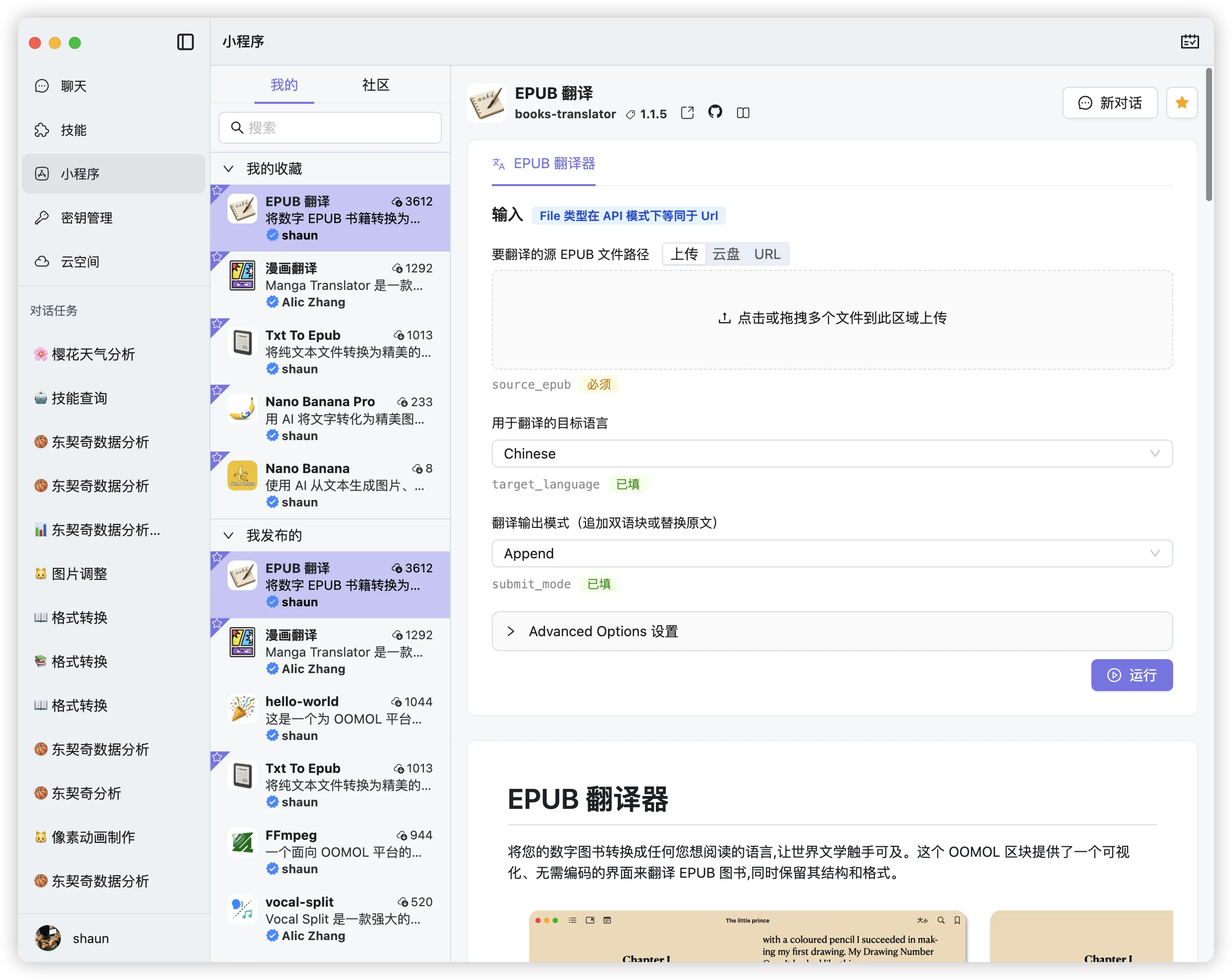
Images, documents, spreadsheets, long text, and intermediate outputs are easier to inspect in a GUI. Once the result looks right, you can add more context and continue.
Many tasks need several rounds: generate a first version, revise it, ask follow-up questions, and add constraints. OOMOL AI is built for that kind of continued work.
Handle complex work on desktop, open it quickly in a browser, or check progress from your iPhone. The entry point changes, but the OOMOL capabilities stay the same.
Describe the goal in natural language, and OOMOL AI helps move the task forward in the current conversation.
Useful when you do not want to move every step back into the terminal.
Results stay on the page, so you can ask follow-up questions, change the request, or continue the task.
A better fit for work that moves forward through review and iteration.
Use it on web, desktop, or iOS when the same task needs attention in different settings.
Work through complex tasks at your desk, then check progress later from another device.
oo-cli is a strong fit for searching, inspecting, and running tools from the terminal and agent workflows. OOMOL AI is for the moments when you need result previews, follow-up conversation, and continuity across devices while using the same capabilities.
OOMOL AI and oo-cli share the same account and credits. Whether a task starts from the terminal, web, desktop, or iOS, usage is counted the same way, so you do not need to top up each entry point separately.
Occasional use
Includes 5 credits. A small refill for light use or occasional top-ups.
Daily use
Includes 24 credits (20 base + 4 bonus). A better fit for regular day-to-day use.
Heavy use
Includes 128 credits (100 base + 28 bonus). Best for batch work and heavier periods.
Start in the browser without installing anything, then review and continue your task.
Open Web AppBest when you want to keep a workspace open for longer or more complex tasks.
Download desktop appTrack progress and continue the current task from your phone or tablet.
Open App Store