Cloud delivery layer

Hand delivery, hosted runtime, and access control to Cloud

Studio is where the tool gets built and validated. Cloud is where it gets delivered, with hosted runtime, configuration, and access handled in one place, then mainly flowing back into oo-cli for agents to use.

Deliver back to oo-cliHosted runtimeSecretsAccess control
Why Cloud after Studio

Studio handles building. Cloud handles the delivery layer

Once the tool works locally, what slows launch is usually not the logic itself but the layer around it: hosted runtime, access control, secrets, and delivery. Cloud exists to compress that layer.

Delivery layer

Stop building another backend around the same implementation

Cloud takes over delivery, configuration, access, and runtime relationships so you do not need a separate publishing backend wrapped around the same tool.

  • Primarily deliver it back through oo-cli for agents
  • Avoid another user surface and admin layer
Hosted layer

Hand runtime, access, and permissions to Cloud together

Users primarily keep consuming the tool through oo-cli. When you need API, MCP, or automation surfaces, you can add them from the same hosted layer while the implementation stays on the server.

  • Less ops and permission work to maintain
  • Deliver first, then expand with real usage
01 / Cloud

Keep delivery, hosted runtime, config, and access in one backend

Once the tool is validated, Cloud takes over delivery and keeps hosted runtime, runtime settings, secrets, and access control in one place. The default primary delivery path still flows back into oo-cli.

Deliver it mainly through oo-cli while keeping the same implementation

Once the tool is delivered, it still mainly flows back into oo-cli for agents instead of being rebuilt behind another service layer.

Manage config and secrets together

Keep runtime settings, secrets, and environment differences in one console.

Review access, status, and usage relationships in one place

Manage permissions, runtime status, and usage relationships without splitting them across tools.

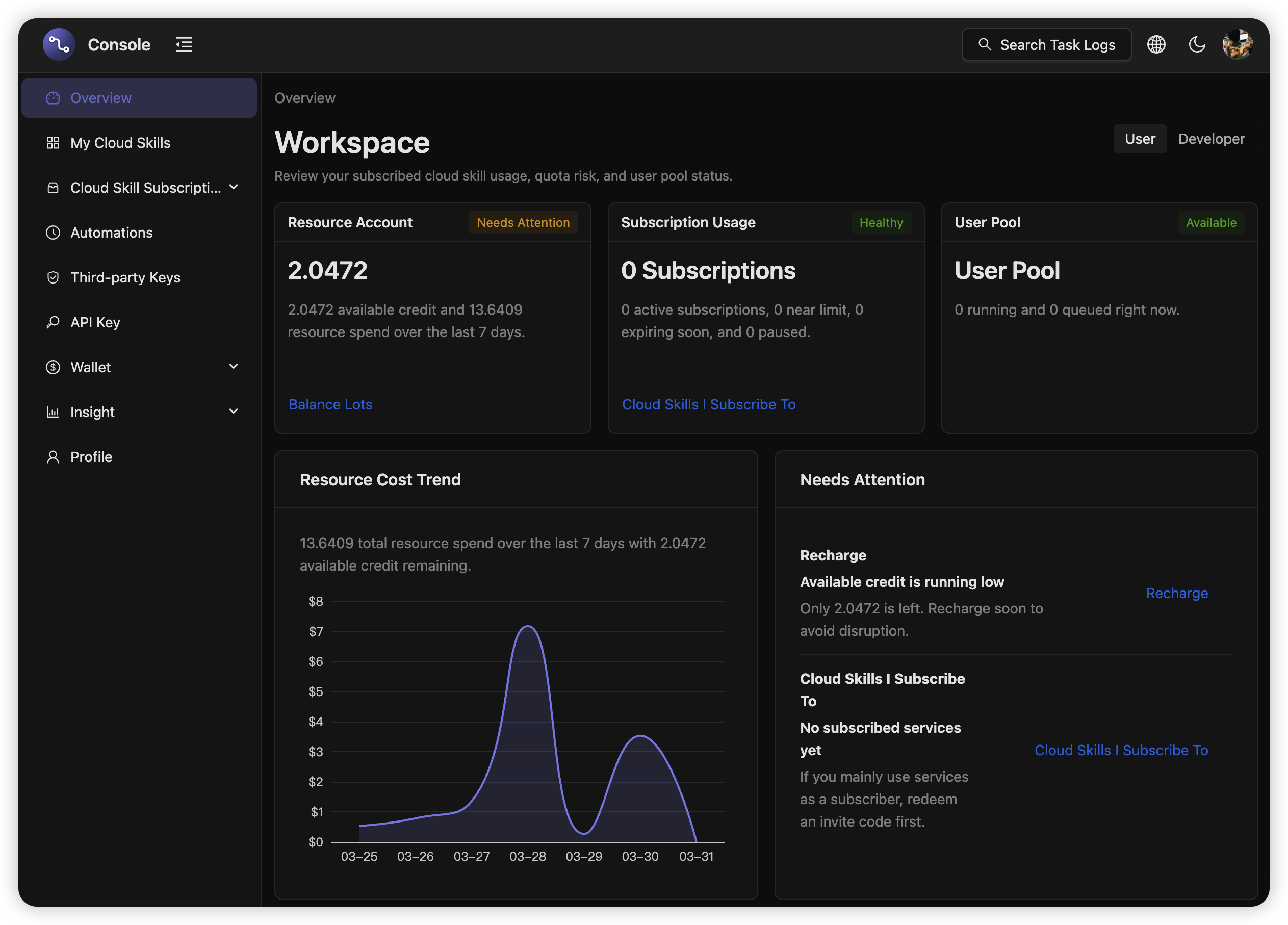
Cloud console preview

Cloud console preview

Keep delivery, runtime settings, secrets, and access control in one backend.

DeliveryRuntime settingsSecretsAccess control
02 / oo-cli

After delivery, agents still use it through the oo-cli path

For the user, there is no need to understand your implementation or learn a new workflow. Once delivered, they still search, inspect, and use it through oo-cli. APIs, MCP, and automation remain optional extension surfaces.

oo-cli invocation demo

Show a delivered tool being searched, inspected, and called in Codex.

Free Tier

Start delivery with the free quota

Free users get 200 Cloud Task minutes refreshed every month. Use them to deliver the tool through Cloud first, then top up or upgrade when the quota is not enough.

Free quota
Monthly Included
200 Minutes
Free Cloud Task time

Deliver the tool and start using it

Use the monthly refreshed quota to deliver the tool and confirm it stays searchable and callable in oo-cli.

A good fit for first delivery, lightweight jobs, and everyday trial use.

Usage-based
Time-based billing
By Time
How Cloud Task is billed

Scale with call-duration billing

You do not need to buy servers or reserve fixed capacity up front. Pay for actual call time only after the included quota runs out, and expand only when demand grows.

Start using it first, then decide the scale.

Let Cloud take over validated tools

Use Cloud to handle delivery, hosted runtime, configuration, secrets, and access control, then keep the tool flowing mainly back into oo-cli.