
学习曲线陡
Studio 内置 Agent。遇到问题可以直接问 AI,想做什么也可以直接让 AI 做,很多事情不用先学会再开始。
当现成工具不够用时,用 Studio 内置 AI 生成新工具,或通过工作流组合和扩展现有工具,再通过 Cloud 交付回 oo-cli 使用。
要让扩展持续推进,需要同时解决学习成本、部署复杂度与生态衔接问题。
Studio 内置 Agent。遇到问题可以直接问 AI,想做什么也可以直接让 AI 做,很多事情不用先学会再开始。
Studio 内置容器,把本地和云端环境尽量做成一体。开发、调试、发布会顺很多,不容易卡在环境问题上。
当依赖管理和设计方式与社区惯例分叉时,团队已有知识很难复用,协作和扩展成本都会上升。
目标不是多一套平台概念,而是让开发流程更顺、更可维护。
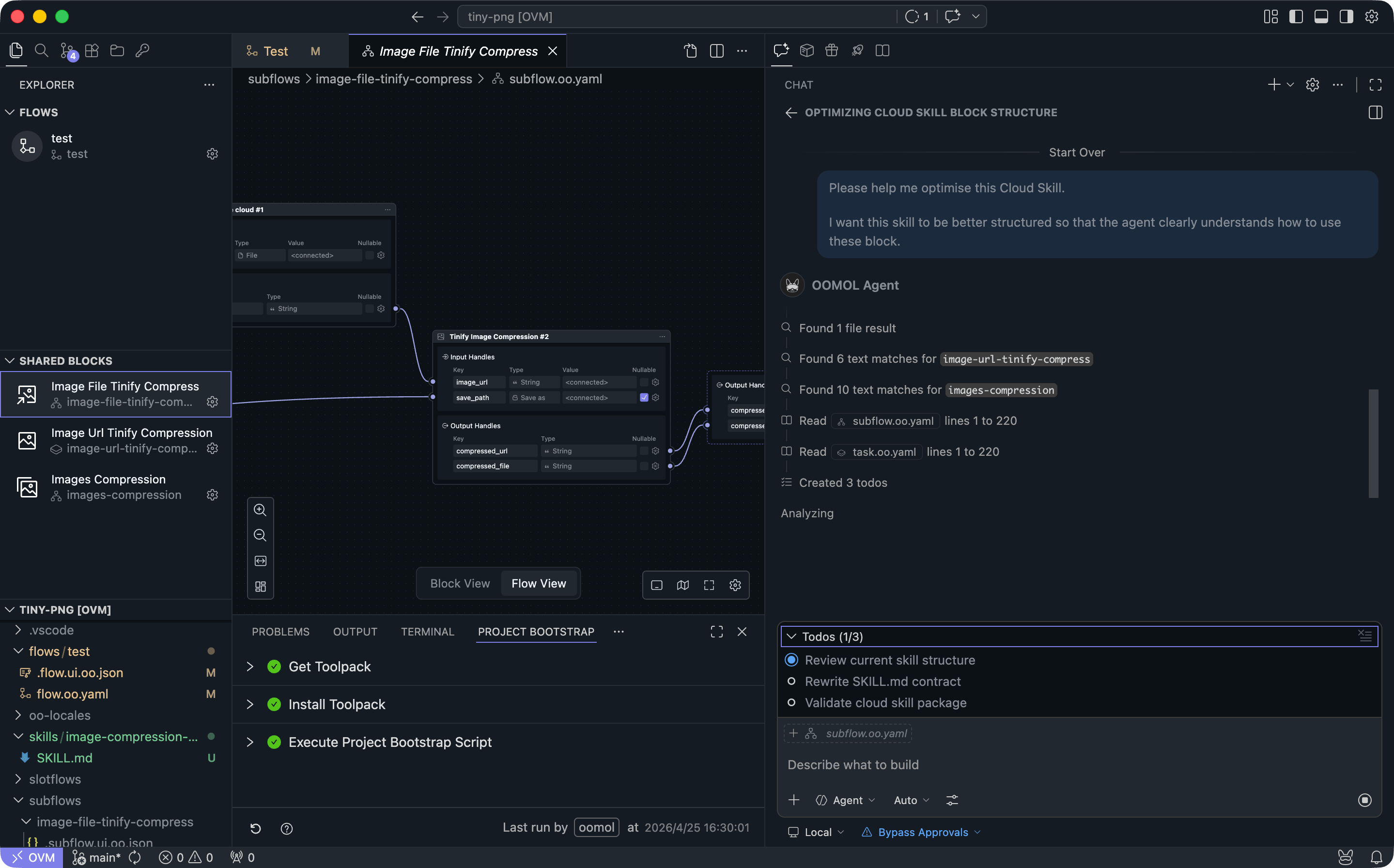
1. 从生成节点到工作流编排,Studio 内置 Agent 都能先帮你完成。你只要说清目标,就能直接开工。
2. 它拿到的是 Studio 的完整上下文,不是通用聊天助手;知道怎么生成、编排和扩展工具。
3. 你可接入自己的模型和 Token;需要手动接管时,随时进代码继续改。
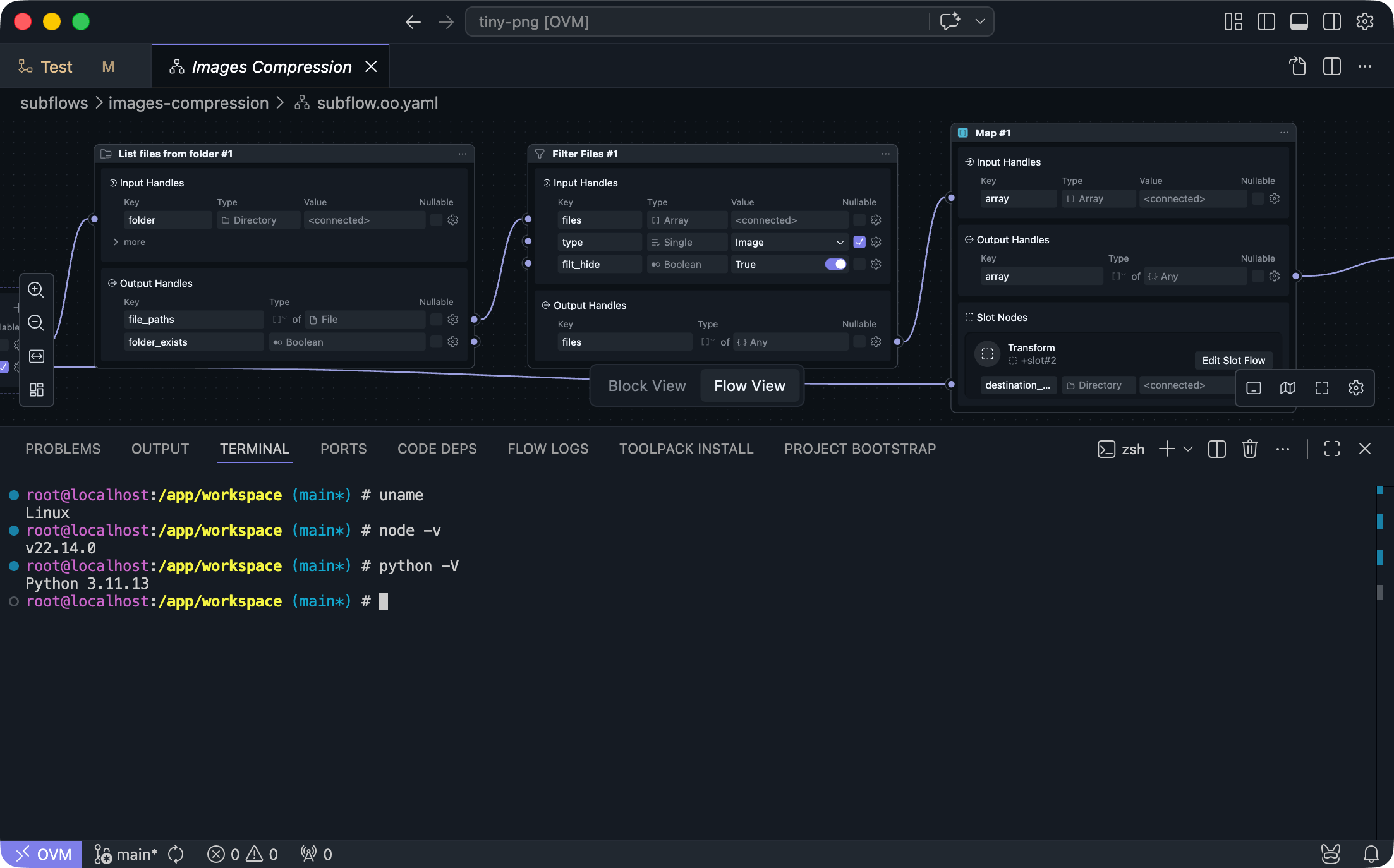
1. Studio 内置完整高性能容器,常见开发环境和运行时开箱即用。
2. 本地与云端统一 Linux 基座,开发、调试、发布走同一套环境。
3. 容器与宿主机隔离,AI 在容器内写码跑码,不影响本机环境和隐私数据。
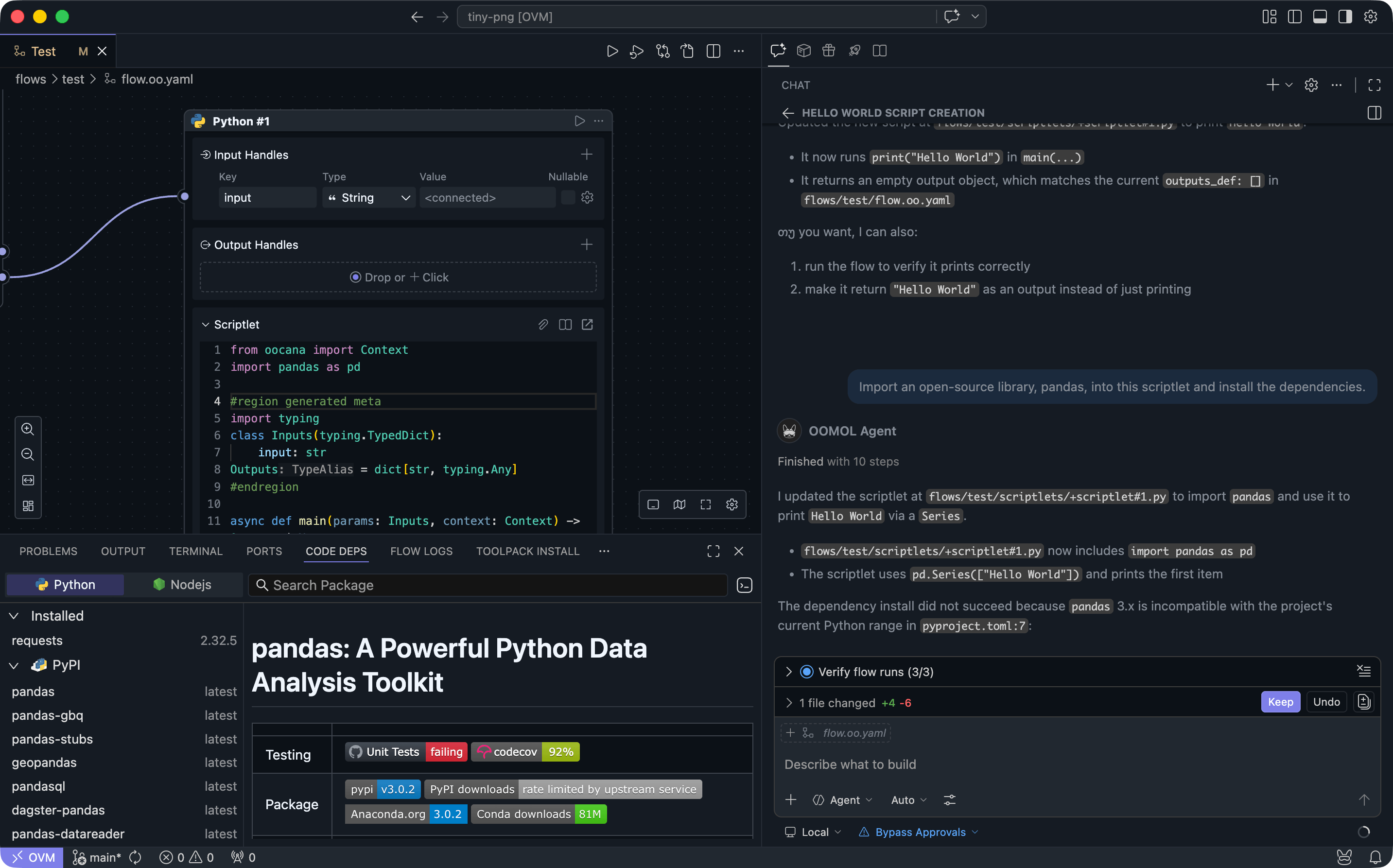
1. 在 Studio 里,一个节点就是一个函数;节点可编排为工作流,并继续封装成可复用工具。
2. JavaScript 继续用 npm,Python 继续用 Poetry 或 pip;依赖管理沿用社区工程习惯。
3. 所以即使主要靠 AI,后续人工接手也不用切换思维,按熟悉方式继续开发。
从 AI 自动生成,到本地验证、工程化调整和云端交付,OOMOL Studio 让整个开发过程更连贯,也让每一次产出更接近真正可用、可复用、可部署的结果。