 Leina
Leina  Wanta
Wanta AI Project Follow-Up: Fewer Duplicate Reminders, Fewer Missed Changes
Compare each check with the last confirmed project state. Distinguish new messages from real changes, and handle quiet periods, failed checks and deadlines separately.
OOMOL
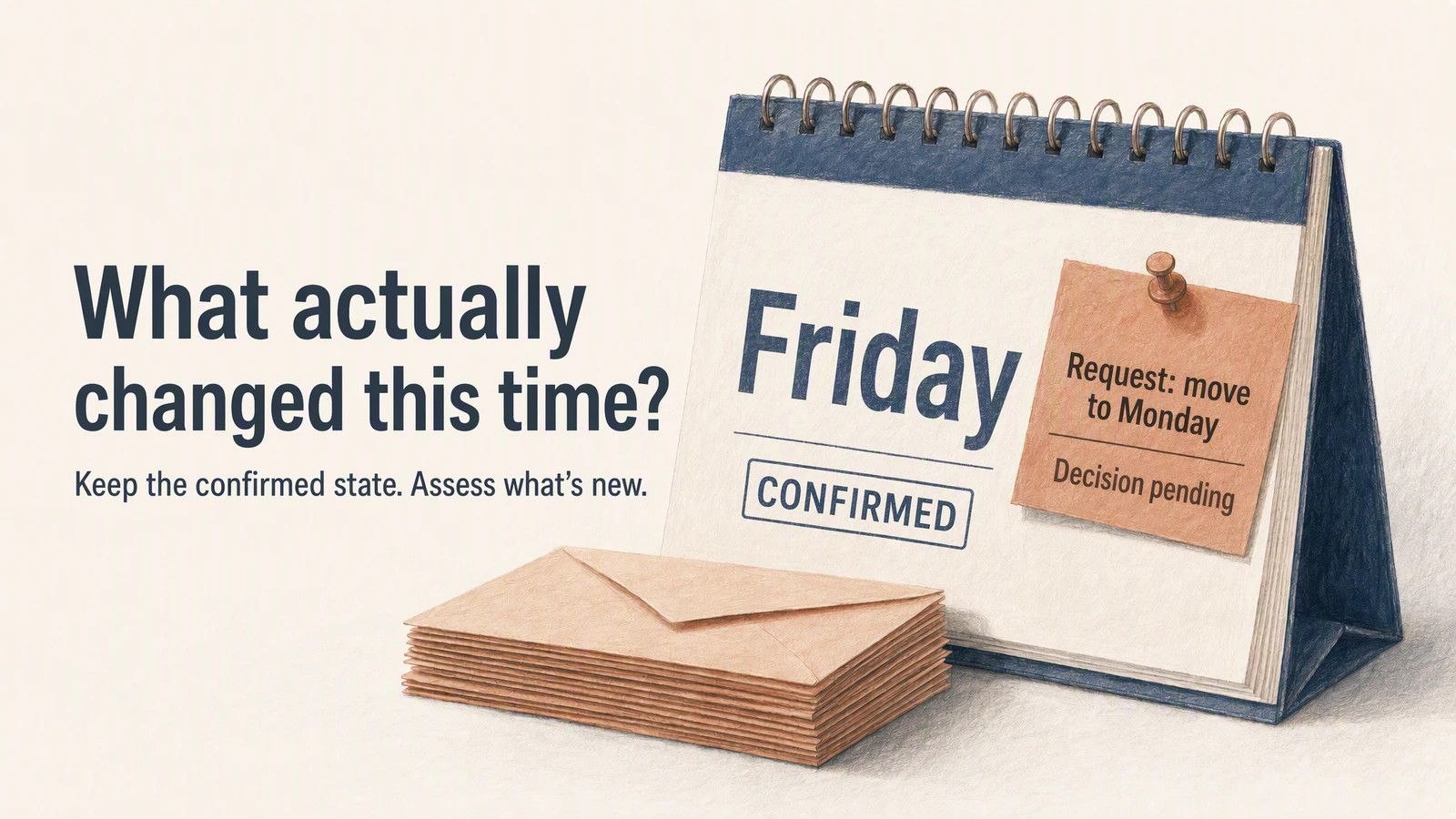
AI-generated conceptual illustration; the content is a hypothetical example.
Suppose you ask AI to help keep an eye on a project due on Friday. On Monday, it reminds you that the client has not yet confirmed the materials; on Tuesday, it sends an almost identical summary again. By Wednesday, the client has already proposed a delay in an email, but the project board still says Friday delivery. The assistant puts both dates into the report and finally suggests that you “keep monitoring.”
You still have to open your email, check the board, and ask the person in charge again.
Ongoing follow-up needs the last confirmed state as a reference for explaining new changes. If every run re-summarizes all the materials, the assistant can easily present old messages as new progress, and may also treat a proposal that has not yet been decided as an arrangement already in effect.
What to retain after the first summary
There have already been many attempts to organize information across applications. Composio’s daily family newspaper case combines calendars, weather, and entertaining content into a small newspaper for the day; Lindy’s introduction to the AI teammate discusses persistent context and proactive follow-up. These explain what the day’s information can be organized into, but they do not answer a more specific question: between two consecutive checks, which already-confirmed judgments should be retained.
A daily summary helps you understand the arrangements in front of you; a continuous follow-up task also needs to explain what has happened relative to the last time.
For a delivery project, retain a few specific facts after the first review: the currently confirmed delivery date, the materials still pending, the person responsible for follow-up, and the sources supporting these judgments. Record the time range covered by the check and any sources you could not read.
This record is the starting point for the next check. It can be stored in an application database, a task record, or a controlled document; the specific form is decided by the assistant system. What matters is that subsequent runs can actually read it and know which parts have been confirmed and which are only inferences.
If last time there was only a sentence saying “the project is progressing normally,” it will be very difficult next time to explain exactly what changed.
A new message does not always mean progress
The same material is forwarded to a group chat, an extra “Received, thanks” appears in the inbox, and someone edits the task description on the board. These are all new records, but their impact on delivery differs.
Compare the facts relevant to the task. For this project, what you really need to know is: whether the materials are complete, whether the delivery date has changed, who has taken on the to-do, and whether any new blockers have appeared.
Here is a set of hypothetical situations:
| New record | Meaning for the project | Appropriate notification |
|---|---|---|
| A colleague forwards Monday’s material request | The same matter; no new delivery information yet | Do not push the same reminder again; still remind when due |
| The client sends the previously missing attachment | The material has been received; whether it meets the requirements still needs checking | Explain what was received and what is still missing |
| The client asks whether it can be moved to next Monday | A rescheduling request has appeared | Mark it as pending a decision and retain the currently confirmed date |
| The person in charge explicitly agrees to the rescheduling | A new confirmation record has appeared | Explain the original date, the new date, and the source of confirmation |
To identify the same record, you can use identifiers provided by the source system; to determine whether different records describe the same matter, consider the project, participants and content together. Identical titles alone cannot reliably merge two emails. Different wording alone should not be taken to mean the project has moved one step forward.
Compare structured fields directly, and use the model where interpreting meaning is necessary. For example, first find tasks whose date fields have changed, then have AI read the related discussion and explain whether this change has been confirmed.
Preserve disagreements between email and the board
Wednesday’s email proposes delivery next Monday, while the board still says Friday. Which one counts?
“Updated later” only indicates the time of the record; it does not indicate that the speaker has the authority to change the arrangement. The email may be a request, the board may not yet have been updated, or it may simply cite the date of another task.
The team can agree in advance on which source has authority. For example, the delivery date is based on confirmation by the designated person in charge, and the board is used to record the arrangement after confirmation. In this way, when the assistant sees a rescheduling email, it can classify it as a pending-confirmation item; after seeing the person in charge agree, it can then point out that the board still needs to be synchronized.
When there is no agreement, the assistant should put the two records together, explain the disagreement, and leave the decision to the person in charge. Below is a fictional reminder example:
The client requested in today’s email that delivery be moved to next Monday; the project board still shows this Friday. Among the currently readable records, no rescheduling confirmation from the person in charge has been found. Please confirm whether to accept the request.
When citing sources, provide real, openable links; writing only “client email” or “board” still leaves the person in charge unable to verify.
This requires a human decision, and the request is very clear. Compared with “please keep monitoring project risks,” the person in charge knows what to answer and can open the supporting records.
Handle quiet periods, failed checks and deadlines separately
A continuously running assistant needs to allow for quiet results. If the specified sources were checked successfully and nothing has changed, it can record the check result and, as agreed, not push another duplicate summary.
But when email reading fails, the same conclusion cannot be drawn. The assistant only knows that it was unable to complete the check; it should retain the position of the most recent successful read and explain which sources were missed this time. After access is restored, it needs to read the records from the missed period; if the interface provides an incremental cursor, it can resume reading according to the API contract; otherwise, a query covering the missed time should be designed. It cannot check only the day access is restored and assume there were no changes in between.
Viktor’s automations dying quietly describes how failures in long-running tasks can go unnoticed. The same applies to follow-up tasks: when no reminder has arrived, you should be able to check when it last ran and which sources it checked.
There is another situation in which a reminder is needed even if there is no new message: the agreed deadline has arrived. The client has not replied for a long time, and when the follow-up time agreed by both parties arrives, this matter is worth surfacing again.
Therefore, reminders can come from actual changes or from time conditions agreed in advance. After a task ends, is canceled, or is taken over by the person in charge, the corresponding reminders also need to stop. Otherwise, work that has already been completed will still ask for your attention every day.
Connect follow-up tasks to applications with OOMOL
To compare changes between two checks, the assistant needs to read records from real systems. In OOMOL, the Connector SDK explains how to select an authorized connected account and call the corresponding application action; the gateway is responsible for holding credentials and making the actual requests.
For example, connect the work email and project management tool for project follow-up, then verify whether they provide the required search, record retrieval and modification timestamps. Different services vary in query scope, history, and incremental capability, and this needs to be confirmed against the specific interface.
The last confirmed state, the associations between different sources, reminder conditions, and stop conditions are stored and executed by the assistant or business workflow. After a connection succeeds, these task rules still need to be implemented.
The first version can expose only the necessary read operations and hand the change report to the person in charge. When you need to update the board or reply to the client, configure the corresponding operations according to the access control guide, and clarify the execution target and confirmation method.
If a team needs to manage the connection service itself, it can use OOMOL’s open-source project OpenConnector and manage credentials, operation policies, and run records according to the self-hosting guide.
Check the same project twice
You can connect the applications required by the task from OOMOL Connections, and ask an assistant that can call those connections and persist task state to handle a clearly scoped request:
Help me follow up on this project’s delivery date and pending materials. First read the specified email thread and project tasks, organize the currently confirmed state, pending-confirmation items, and sources, and save them as the basis for later comparison. This time, only give me the result; do not modify the source systems. On the next check, explain what has changed relative to this time; when there is no change, do not repeat the summary; when reading fails, explain what is missing. I will confirm the reminder time and stop conditions before they are set.
On the first check, verify whether it selected the right project, emails, and person in charge. On the second, you can use test materials to add a duplicate forward, a rescheduling request, and a formal confirmation, and observe whether the assistant can distinguish the three. Then make one source temporarily unavailable and check whether it describes the read failure as “no progress.”
Once these judgments meet expectations, enable scheduled runs. The next reminder you receive should be able to answer a specific question: relative to the last confirmed state, what now needs your attention?