

 Leina
Leina  Wanta
Wanta OOMOL TypeScript SDK reference
@oomol-lab/connector contains three TypeScript clients. Choose the client that matches the product path before using the shared configuration and API reference on this page:
Connectorcalls accounts connected to your own OOMOL account through the hosted gateway.ProjectConnectorconnects and calls accounts owned by users of your SaaS product.OpenConnectorcalls an OpenConnector runtime that you operate.
The clients share transport behavior, precise action types, and the error model. Their keys, account boundaries, and available methods differ.
The package is lightweight and zero-dependency; the SDK builds each request and parses the response. TypeScript can call actions such as gmail.search_threads, slack.post_message, and notion.append_block directly.
Install
npm install @oomol-lab/connector # or: bun add / pnpm add / yarn addRequires Node ≥ 18, for the built-in fetch and AbortController. The SDK ships only dist, has zero runtime dependencies, and is sideEffects: false, so it tree-shakes cleanly. Use Connector and ProjectConnector from a trusted server-side runtime such as Node, Bun, Deno, or an edge worker. Browser apps should call your backend; never bundle a personal or Project API key into client code.
Three clients at a glance
Connector | ProjectConnector | OpenConnector | |
|---|---|---|---|
| Authentication | Personal api_… key | Project oo_proj_… key | Optional runtime token oct_… |
| Connects to | OOMOL-hosted gateway | OOMOL-hosted gateway | An OpenConnector runtime you operate |
| Account resource | Personal or Team connections | Connected accounts for external users | Connections in the runtime |
| Use case | Call accounts connected by an individual or Team | Connect and call accounts for SaaS product users | Call a self-hosted runtime |
| Integration guide | Connector SDK | ProjectConnector | OpenConnector SDK |
Connector: call personal or Team connections
Get an API key
You need an OOMOL Connector personal API key, shaped like api_…. Create one in the OOMOL Console:
https://console.oomol.com/api-key
Set it as an environment variable. This guide uses OOMOL_API_KEY throughout. The gateway authorizes every request and receives the key as Authorization: Bearer <apiKey>.
A personal
api_…key runs actions on personal or Team connections. To connect accounts for end users, use a Project key (oo_proj_…) andProjectConnector; see the ProjectConnector integration guide. To call a self-hosted runtime, use its optional runtime token (oct_…) andOpenConnector; see the OpenConnector SDK guide.
Quickstart
Construct a client, then call an action. The two forms below are equivalent.
import { Connector } from "@oomol-lab/connector";

const oomol = new Connector({ apiKey: process.env.OOMOL_API_KEY! });

// Path 1: dynamic string. Callable for any action id.
const { threads } = await oomol.execute("gmail.search_threads", { query: "from:boss" });

// Path 2: namespace sugar. Same call underneath.
const result = await oomol.gmail.search_threads({ query: "is:unread" });
execute returns the action output directly. When you also want the execution metadata, use executeRaw:
const raw = await oomol.executeRaw("gmail.search_threads", { query: "from:ceo" });
raw.data;        // the same value execute() returns
raw.executionId; // server-assigned execution id (useful for support / log correlation)
raw.actionId;    // echoed action id
raw.message;     // human-readable message from the success envelope
The core call flow is execute and executeRaw.
Connector concepts
The SDK model has five core concepts. Authentication, credentials, and provider calls are handled by the gateway:
| Term | What it is |
|---|---|
| Gateway | The hosted OOMOL Connector service this client talks to. It holds credentials, performs the actual provider calls, and returns a uniform envelope. The SDK runs no integration logic locally. |
| Provider / service | A third-party API (gmail, slack, github, notion, …). It is the <service> prefix of an action id. |
| Action | One operation on a provider, identified as "<service>.<action>" (e.g. gmail.search_threads). Actions are provided by the gateway and called by the client. |
| Connection | A stored, already-authorized credential for a provider. You never touch tokens; you name which connection to use via connectionName. OAuth and credential lifecycle are the gateway’s job. |
| Team | Optional tenant scoping, sent as the x-oo-team-name header. |
The same vocabulary carries into the SDK surface: an action id is always "<service>.<action>", connectionName selects a stored connection, and, for the project client, externalUserId identifies one of your end users.
Common operations
| Want to… | Use | Notes |
|---|---|---|
| Run a modeled action | execute / executeRaw | The typed one-liner. executeRaw also returns { executionId, actionId, message }. |
| Hit an endpoint not yet modeled as an action | proxy | Passthrough to the upstream API, with the connection’s credentials injected by the gateway. |
| Feed actions to an LLM / build dynamic forms | catalog | Runtime JSON Schema (2020-12) for any action or provider. |
| Discover what’s connected | apps.list | Read-only list of the connections you’ve already linked. |
| Let your users connect their accounts | ProjectConnector | A separate, project-scoped client to connect accounts on behalf of your end users and run actions for them. |
Provider and action coverage is supplied by the gateway. Check the OOMOL public catalog API for catalog-wide provider and action totals, or browse the App directory. Discover providers for your configured gateway at runtime with oomol.catalog.providers(); callable actions depend on account authorization and access policy.
Precise types (optional)
The dynamic string path compiles for any actionId. By default, every action is loosely typed (Record<string, any> in and out), which keeps new actions callable immediately. For precise per-action input/output types plus JSDoc, install the companion types package and add one side-effect import per provider you use:
import { Connector } from "@oomol-lab/connector";
import "@oomol-lab/connector-types/gmail";   // precise types + JSDoc for gmail.*
import "@oomol-lab/connector-types/slack";   // …and slack.*

const oomol = new Connector({ apiKey: process.env.OOMOL_API_KEY! });

await oomol.gmail.search_threads({ query: "from:boss" }); // input + output now precise
await oomol.notion.append_block({ pageId, text });        // notion not imported → still loosely callable
npm install -D @oomol-lab/connector-typesPrecise types come from @oomol-lab/connector-types and side-effect imports, leaving the project free of generated files. Registered actions get literal completion and exact input/output types; unregistered ones degrade to Record<string, any>. When the types package lags the backend, new actions remain callable through the loose fallback. The core runtime and types package are released separately.
Requires
moduleResolutionset tobundler,node16, ornodenextso the subpath imports (@oomol-lab/connector-types/gmail) resolve. See the@oomol-lab/connector-typesrepository for setup details.
Configuration
Every field except apiKey is optional:
new Connector({
  apiKey: process.env.OOMOL_API_KEY!,        // required
  baseUrl: "https://connector.oomol.com/v1", // default
  team: "acme",                              // default team → x-oo-team-name
  connectionName: "work",                    // default connection (prefer per-call / using())
  timeoutMs: 30_000,                         // default per-request timeout
  maxRetries: 2,                             // default; retries 429 / 5xx / network with backoff + jitter
  fetch: customFetch,                        // inject for tests / proxies / tracing
});| Field | Default | Notes |
|---|---|---|
apiKey | — | Required. Sent as Authorization: Bearer <apiKey>. |
baseUrl | https://connector.oomol.com/v1 | Override explicitly in the client configuration. |
team | — | Which tenant the call runs under. |
connectionName | — | Which stored connection to use when a provider has more than one. Use it as a client default for simple setups; for multiple connections, set it per call or via using(). |
timeoutMs | 30_000 | Per-request timeout in milliseconds. |
maxRetries | 2 | Retries on 429 / 5xx / network errors, with exponential backoff and jitter. |
fetch | global fetch | Inject a custom fetch for tests, proxy agents, or tracing. |
For actions with side effects, such as gmail.send_email or slack.post_message, pass { retries: 0 } unless that action provides an idempotency mechanism you have verified. A network failure can occur after the provider accepted the request, so an automatic retry may repeat the operation.
Scopes and per-call options
Three layers resolve in this precedence: per-call options > using() scope > client defaults.
using() returns an immutable scoped sub-client that merges the given defaults; the original client is untouched:
const work = oomol.using({ connectionName: "work", team: "acme" });
await work.gmail.search_threads({ query: "label:urgent" }); // runs under "work" / "acme"
Per-call options apply only to that call and have the highest precedence:
await oomol.execute(
  "gmail.search_threads",
  { query: "from:ceo" },
  {
    team: "acme",           // override team for this call
    connectionName: "alt",  // pick a different connection for this call
    timeoutMs: 10_000,      // tighter timeout for this call
    retries: 0,             // disable retries for this call
    signal: controller.signal, // forward an AbortSignal
  },
);
connectionName resolves with the same layering. It is carried on the wire as the x-oo-connector-alias header (the gateway field name is alias); the SDK surface uses connectionName.
Proxy: call an upstream endpoint directly
proxy calls an upstream API endpoint directly. The gateway injects credentials from the selected connection, while the request and response keep the upstream API shape.
// Typed GET. The request path uses the `endpoint` field.
const repos = await oomol.proxy<Array<{ name: string }>>("github", {
  endpoint: "/user/repos",
  method: "GET",
  query: { per_page: 5, sort: "updated" },
});
repos.status;               // upstream HTTP status
repos.data.map((r) => r.name);

// POST with a body and upstream headers; these headers go to the provider.
await oomol.proxy("github", {
  endpoint: "/repos/acme/widgets/issues",
  method: "POST",
  headers: { "X-GitHub-Api-Version": "2022-11-28" },
  body: { title: "Tracking issue", labels: ["chore"] },
});
endpoint accepts either a path (resolved against the provider’s base URL) or a full URL, which is useful for providers with regional hosts such as https://eu.posthog.com/api/.... method is one of GET | POST | PUT | PATCH | DELETE. The response is { status, headers, data }. The proxy body is strict on the backend: unknown top-level keys are rejected as invalid_input.
Catalog: introspect providers and actions
The catalog provides read-only runtime metadata for dynamic forms, validation, and LLM tool definitions. Input/output schemas use JSON Schema (2020-12) and are independent of the compile-time types package.
// List providers; optionally narrow server-side.
const all = await oomol.catalog.providers();                       // every provider
const mailish = await oomol.catalog.providers({ q: "mail" });      // free-text search → ?q=
const some = await oomol.catalog.providers({ service: ["gmail", "slack"] }); // restrict → ?service=…

// All actions of one service.
const actions = await oomol.catalog.actions("gmail");

// Full metadata for one action, including runtime JSON Schema.
const meta = await oomol.catalog.action("gmail.search_threads");
meta.name;          // human-readable name
meta.requiredScopes;// OAuth scopes the action needs
meta.inputSchema;   // JSON Schema (2020-12) for the input
meta.outputSchema;  // JSON Schema (2020-12) for the output
Each provider carries { service, displayName, iconUrl, homepageUrl, categories, authTypes }.
Apps: list your connected accounts
apps.list() returns a read-only view of the connections the gateway already holds for you. Connection creation and removal happen in Console.
const apps = await oomol.apps.list();
for (const app of apps) {
  // { id, service, status, connectionName, … }; connectionName is null when none is set.
  console.log(`${app.service}: id=${app.id} status=${app.status} connectionName=${app.connectionName}`);
}

// Target a specific connection by passing its connectionName back as the per-call selector.
const work = apps.find((a) => a.connectionName === "work");
if (work) {
  await oomol.execute("gmail.search_threads", { query: "is:unread" }, { connectionName: "work" });
}
Error handling
Failures throw a typed ConnectorError. Caller cancellation (an aborted AbortSignal) rejects with the standard AbortError, so it can be handled separately from gateway or transport errors.
import { Connector, ConnectorError, isRetryable } from "@oomol-lab/connector";

try {
  await oomol.slack.post_message({ channel: "#general", text: "shipped" });
} catch (err) {
  if (err instanceof ConnectorError) {
    err.code;        // discriminable union, e.g. "rate_limited", "credential_expired"
    err.status;      // HTTP status (0 for client-side / network errors)
    err.requestId;   // failure-correlation id
    err.actionId;    // when applicable
    err.executionId; // when applicable
    err.data;        // upstream response body, e.g. on provider_error
    if (isRetryable(err)) {
      // 429 / 5xx / network / rate_limited / proxy_upstream_timeout / request_in_progress
    }
  } else {
    throw err; // non-ConnectorError, e.g. AbortError from caller cancellation; rethrow
  }
}
err.code is an open union: known backend codes get autocompletion, and new backend codes still pass through as strings. Keep a default branch when handling it. Common codes, grouped:
| Group | Codes |
|---|---|
| Input / request | invalid_input, invalid_request_payload, invalid_request_signature |
| App / provider | app_not_found, app_not_ready, app_auth_type_mismatch, provider_not_found, provider_not_configured, provider_config_not_found, provider_error, profile_not_found |
| Credential / auth | credential_expired, scope_missing, user_oauth_client_required |
| Connection selection | connection_ambiguous, connection_account_conflict, connection_alias_conflict, connection_request_not_found, connected_account_not_found |
| Proxy | proxy_not_supported, proxy_upstream_error, proxy_upstream_timeout, proxy_response_too_large |
| Rate / concurrency | rate_limited, request_in_progress, request_key_conflict, request_key_used |
| Client-only (status 0, no request sent or transport failure) | client_invalid_request, client_timeout, client_network_error, client_wait_timeout |
isRetryable(err) returns true for rate_limited, proxy_upstream_timeout, request_in_progress, HTTP 429, any 5xx, and transport failures (status 0). It returns false for client validation errors (client_invalid_request) and the waitForConnection cap (client_wait_timeout); those cases usually need a call or waiting-flow change.
Cancellation and timeouts
Forward an AbortSignal to cancel; set timeoutMs to bound a single call. The built-in retry layer handles transient failures. Use retries: 0 for a single deterministic attempt.
const controller = new AbortController();
setTimeout(() => controller.abort(), 50);
try {
  await oomol.execute("gmail.search_threads", { query: "huge" }, { signal: controller.signal });
} catch (err) {
  (err as Error).name; // "AbortError"
}ProjectConnector: connect accounts for product users
Connector runs actions on your own connections. ProjectConnector is for SaaS products: your end users link their own Gmail / Slack / GitHub / … accounts through your app, and your backend runs actions on their behalf. This is the managed-auth model used by products such as Composio and Pipedream Connect.
With OAuth, the user authorizes on a gateway-hosted page; provider tokens stay in the gateway and your code holds opaque identifiers. project.connect.apiKey and project.connect.customCredential are different: your trusted backend receives the user’s secret and sends it to the gateway. Keep those secrets out of browsers, prompts, model context, and logs.
The end-user identifier
externalUserId is the user-isolation key for the project client. You choose it, typically from your own user database. Project operations such as connecting an account, waiting for a connection, and executing an action are scoped to it. Pass the same externalUserId consistently and the gateway keeps each user’s connections isolated.
Construct the project client
ProjectConnector is a separate client built with a Project API key (oo_proj_…). It provides Project-scoped operations such as connect.*, waitForConnection, getUserProfile, execute, executeRaw, and forUser.
import { ProjectConnector } from "@oomol-lab/connector";

const project = new ProjectConnector({ apiKey: process.env.OOMOL_PROJECT_API_KEY! }); // oo_proj_...
Console setup comes first. Before your backend connects accounts, an administrator creates a Project, a provider config, and a Project API key in OOMOL Console. The one-time setup and matching backend REST flow are covered in the Connector for SaaS guide. This SDK is the typed wrapper over the same runtime API.
OAuth: create a link, then await completion
OAuth has two steps: create a pending connection request, send the user to authorize, then wait for completion.
// 1. Create a pending connection request for one of your users.
const request = await project.connect.oauth("user_42", {
  service: "gmail",
  connectionName: "work",                          // the name to assign; reuse it later to target this account
  returnUri: "https://app.example.com/connected",  // where the gateway returns the user after the callback
});

// 2. Send your user to the provider's authorization page.
redirectUserTo(request.authorizationUrl);

// 3. Poll until the user finishes (or it fails / expires). Returns the final connection request.
const connected = await project.waitForConnection(request);
connected.status;             // "connected" | "failed" | "expired"
connected.connectedAccountId; // the stored account id once connected
The authorizationUrl first opens a Connector-hosted entry page that names your project and the provider the user is about to authorize, then sends the user to the provider’s OAuth page.
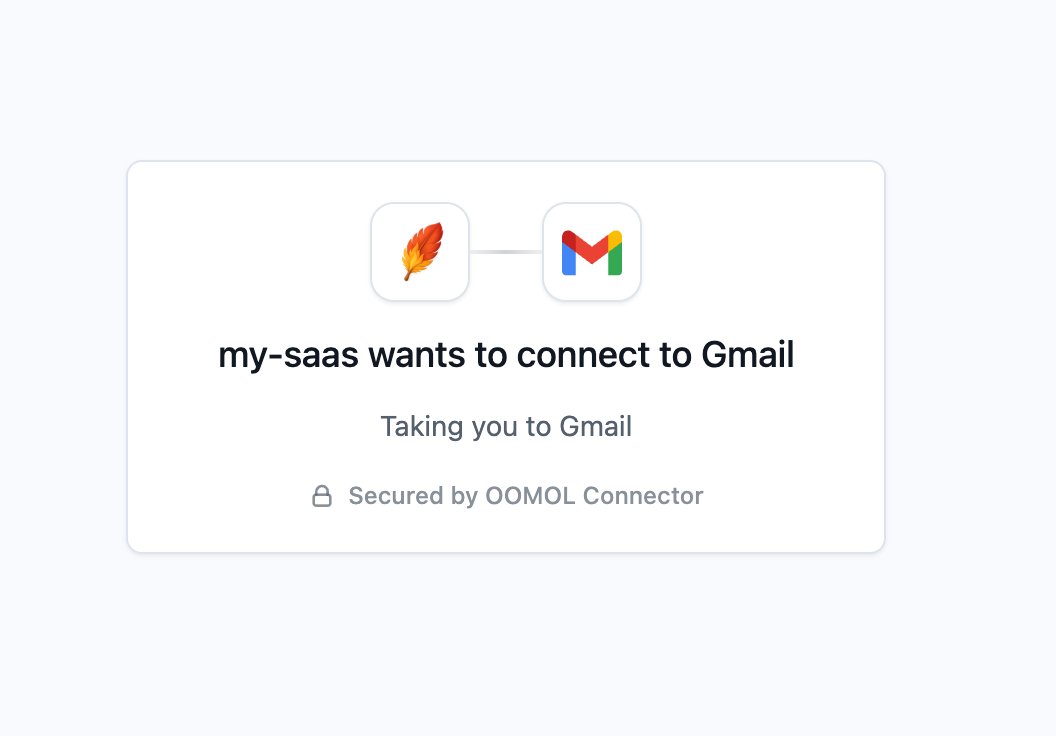
waitForConnection polls until the request leaves the initiated state and returns it. If the user does not finish authorization, the request naturally becomes expired. If maxWaitMs (default 600_000ms, matching the request’s expiry) elapses first, it throws a ConnectorError with code client_wait_timeout; an aborted signal rejects with the standard AbortError.
When your returnUri is hit, the gateway appends query parameters you can read on your callback page:
status=success
service=gmail
providerConfigId=pc-1
externalUserId=user_42
connectedAccountId=ca-1
…or, on cancellation / provider error:
status=error
code=<connector-error-code>
message=<human-readable-message>
API key / custom credential: synchronous
API-key and custom-credential connects return an account immediately. Only OAuth needs waitForConnection.
// The end user's own upstream key (e.g. an OpenAI sk-…), not your oo_proj_ key.
const account = await project.connect.apiKey("user_42", { service: "openai", apiKey: "sk-..." });
account.available; // whether the account can execute actions right now

// Provider-specific credential fields, validated by the gateway against the provider config.
await project.connect.customCredential("user_42", {
  service: "jira",
  values: { email: "user@acme.com", token: "..." },
});
Every connect.* call identifies the provider by exactly one of service or providerConfigId. Use providerConfigId when a project has more than one config for the same service; service is the simple case.
Who did they connect as?
getUserProfile reads the third-party account holder behind a connected account: who your end user actually is on the provider. The gateway fetches it live from the provider and normalizes it into one shape across providers.
const { service, profile, fetchedAt } = await project.getUserProfile(account.connectedAccountId);

profile.id;          // stable provider-side user id
profile.kind;        // "user" | "bot" | "service_account" | "unknown" (open union)
profile.username;    // handle, or null
profile.displayName; // display name, or null
profile.avatarUrl;   // avatar URL, or null
profile.email;       // email, or null when the granted scopes do not expose it
profile.metadata;    // provider-specific fields the gateway exposes
Fields that a provider omits or the granted scopes do not cover (email most often) remain present in the response with a null value. fetchedAt is the Unix timestamp in milliseconds when the gateway read the profile. Pass a connectedAccountId from a connect.apiKey / connect.customCredential result, or from a ConnectionRequest that reached connected. An unknown id rejects with connected_account_not_found; a provider missing the userProfile capability rejects with profile_not_found; an inactive or unusable account may reject with app_not_ready, app_auth_type_mismatch, or credential_expired. The scoped sub-client has it too: user.getUserProfile(connectedAccountId).
Execute on the user’s behalf
// The provider service is derived from the actionId prefix ("gmail").
// Without connectionName / connectedAccountId, the user's latest active account is used.
const out = await project.execute(
  "user_42",
  "gmail.search_threads",
  { query: "is:unread" },
  { connectionName: "work" },
);
Account selection precedence: connectedAccountId (a specific account) beats connectionName (an account by its name); with neither, the gateway uses the user’s latest active account for that provider. project.executeRaw returns the same { data, executionId, actionId, message } envelope as the personal client.
Scope to one user
forUser binds the externalUserId once so later calls do not repeat the id:
const user = project.forUser("user_42");
const request = await user.connect.oauth({ service: "slack" });
const slack = await user.waitForConnection(request);
if (slack.status === "connected") {
  await user.execute(
    "slack.post_message",
    { channel: "#general", text: "shipped" },
    { connectedAccountId: slack.connectedAccountId },
  );
}
project.execute reuses the same @oomol-lab/connector-types registry as the personal path: imported providers get precise input/output, and the rest stay loosely callable.
Authorization-request and account lifecycle
| Object | When you get it | Key fields |
|---|---|---|
ConnectionRequest | returned by connect.oauth, re-read via getConnectionRequest / waitForConnection | id, status (initiated → connected / failed / expired), authorizationUrl, connectedAccountId, externalUserId, connectionName, expiresAt |
ConnectedAccount | returned synchronously by connect.apiKey / connect.customCredential; pointed to by a completed OAuth request | id / connectedAccountId, status (active, reauth_required, error, disconnected), available, externalUserId, connectionName, service |
available is true only when everything needed to execute is in place: the provider config is active, the account is active, the underlying app is active, and a credential exists. Both status fields are open unions; keep a default branch to handle new backend statuses.
Coming from Composio / Pipedream?
| Composio / Pipedream | @oomol-lab/connector |
|---|---|
userId / external_user_id | externalUserId |
connectedAccounts.initiate / createConnectToken (OAuth) | project.connect.oauth |
connectedAccounts.initiate + AuthScheme.APIKey | project.connect.apiKey |
waitForConnection() | project.waitForConnection() |
tools.execute(slug, { userId, arguments }) | project.execute(externalUserId, actionId, input) |
composio.getEntity(userId) | project.forUser(externalUserId) |
OpenConnector: call a self-hosted runtime
Running the open-source Connector server yourself — on localhost, in Docker, or on your own infra? OpenConnector is the personal client for it. It mirrors the Connector surface (both call paths, proxy, catalog, apps) pointed at the server you run, so the code you already wrote barely changes. Standing the server up is a separate topic — see the OpenConnector self-hosting guide.
The OpenConnector client points to a runtime you operate. That runtime’s configuration determines account organization, connection selection, and access policy.
import { OpenConnector } from "@oomol-lab/connector";

const open = new OpenConnector(); // local/private setup only; defaults to http://localhost:3000

await open.execute("hackernews.get_top_stories", {});             // path 1 — dynamic string
await open.gmail.search_threads({ query: "from:boss" });          // path 2 — namespace sugar, same registry types
await open.proxy("github", { endpoint: "/user", method: "GET" }); // path 3 — passthrough to an un-modeled endpoint
await open.catalog.search("send email", { limit: 5 });            // catalog extras: search, services
await open.apps.list();                                           // read-only view of the runtime's connections
Both call paths and the precise-types workflow match the personal Connector; the same @oomol-lab/connector-types side-effect imports apply. OpenConnector accepts a relative path beginning with / for proxy.endpoint; an absolute URL returns invalid_input. A provider missing a proxy executor returns proxy_not_supported.
Point it at your server
baseUrl accepts the server origin, and the client appends the API path prefix. A runtime without tokens is suitable only for localhost or an otherwise private network. Before exposing it through a public URL, create a runtime token (oct_…) in the Web Console under Access and require it from every /v1 and /mcp client.
const open = new OpenConnector({
  baseUrl: "https://connect.internal.example.com",       // the server origin
  runtimeToken: process.env.OOMOL_CONNECT_RUNTIME_TOKEN!, // oct_…; required for a public runtime
  connectionName: "work",                                // optional client-level default connection
});
Every field is optional. timeoutMs, maxRetries, and fetch behave exactly as on the hosted client.
Runtime-specific surface
OpenConnector provides these runtime-specific methods:
await open.health();                                    // { ok, runtime } — connectivity / auth probe
await open.catalog.services();                          // every service id that has actions
await open.catalog.search("top stories", { limit: 3 }); // rank actions by free-text relevance
await open.apps.listByService("github");                // one service's connections
await open.apps.authenticated(["github", "notion"]);    // which have a REAL credential stored
Connection selection has two layers: a per-call connectionName overrides the client-level default, and omitting both selects the runtime’s "default" connection.
Use the Web Console for management. Create connections, configure OAuth clients, and mint runtime tokens in the console; the
OpenConnectorSDK calls the configured runtime. See the self-hosting guide for setup. When a service id collides with a member name (execute/executeRaw/health/proxy/catalog/apps), call it throughexecute("<service>.<action>", …).
Full runnable tour — examples/open.ts.
Reference
Connector (personal api_… key)
new Connector(config: ClientConfig)

oomol.execute(actionId, input, options?)     // → action output
oomol.executeRaw(actionId, input, options?)  // → { data, executionId, actionId, message }
oomol.<service>.<action>(input, options?)    // namespace sugar for execute
oomol.using(scope)                           // → immutable scoped sub-client
oomol.proxy(service, { endpoint, method, query?, headers?, body? }, options?) // → { status, headers, data }
oomol.catalog.action(actionId, options?)     // → ActionMetadata
oomol.catalog.actions(service, options?)     // → ActionMetadata[]
oomol.catalog.providers(query?, options?)    // → ProviderMetadata[]   query: { service?: string[]; q?: string }
oomol.apps.list(options?)                    // → ConnectedApp[]
ProjectConnector (project oo_proj_… key)
new ProjectConnector(config: ProjectConnectorConfig)

project.connect.oauth(externalUserId, input, options?)            // → ConnectionRequest (pending)
project.connect.apiKey(externalUserId, input, options?)           // → ConnectedAccount (synchronous)
project.connect.customCredential(externalUserId, input, options?) // → ConnectedAccount (synchronous)
project.getConnectionRequest(connectionRequestId, options?)       // → ConnectionRequest
project.waitForConnection(requestOrId, options?)                  // → ConnectionRequest   options: { pollIntervalMs?, maxWaitMs?, signal?, timeoutMs? }
project.getUserProfile(connectedAccountId, options?)              // → ConnectedAccountProfile
project.execute(externalUserId, actionId, input, options?)        // → action output
project.executeRaw(externalUserId, actionId, input, options?)     // → { data, executionId, actionId, message }
project.forUser(externalUserId)                                   // → ProjectUser (same methods, id bound)
connect.* input is { service | providerConfigId } & { connectionName?, … } (exactly one of service / providerConfigId). execute options add { providerConfigId?, service?, connectedAccountId?, connectionName? }.
OpenConnector (self-hosted runtime, optional oct_… token)
new OpenConnector(config?: OpenConnectorConfig)   // every field optional; baseUrl defaults to http://localhost:3000

open.execute(actionId, input, options?)       // → action output
open.executeRaw(actionId, input, options?)    // → { data, executionId, actionId, message }
open.<service>.<action>(input, options?)      // namespace sugar for execute
open.health(options?)                         // → { ok, runtime }
open.proxy(service, { endpoint, method, query?, headers?, body? }, options?) // → { status, headers, data }   (endpoint must be a relative path)
open.catalog.action(actionId, options?)       // → OpenActionMetadata
open.catalog.actions(service, options?)       // → OpenActionMetadata[]
open.catalog.services(options?)               // → string[]   (service ids that have actions)
open.catalog.providers(query?, options?)      // → ProviderMetadata[]
open.catalog.search(q, query?, options?)      // → OpenActionSearchResult[]   query: { service?, limit? }
open.apps.list(options?)                      // → ConnectedApp[]
open.apps.listByService(service, options?)    // → ConnectedApp[]
open.apps.authenticated(services, options?)   // → string[]   (services with a real credential)
options is { connectionName?, signal?, timeoutMs?, retries? } (no team, no using()). config adds { baseUrl?, runtimeToken?, connectionName?, timeoutMs?, maxRetries?, fetch? }.
Exports
import {
  Connector,
  ProjectConnector,
  OpenConnector,
  ConnectorError,
  isRetryable,
} from "@oomol-lab/connector";
import type {
  ClientConfig, CallOptions, ScopeOptions, RawResult,
  ProxyRequest, ProxyResponse, ProxyMethod,
  CatalogApi, ActionMetadata, ProviderMetadata, ProviderQuery,
  AppsApi, ConnectedApp,
  ConnectorErrorCode,
  ProjectConnectorConfig, ProjectCallOptions, ProjectExecuteOptions,
  ConnectionRequest, ConnectedAccount, ProviderSelector,
  ConnectedAccountProfile, ProviderUserProfile, ProviderUserKind,
  OAuthConnectInput, ApiKeyConnectInput, CustomCredentialConnectInput,
  OpenConnectorConfig, OpenConnectorApi, OpenCallOptions, OpenExecuteOptions,
  OpenCatalogApi, OpenAppsApi, OpenHealth,
  OpenActionMetadata, OpenActionFollowUp, OpenActionAsyncLifecycle,
  OpenActionSearchResult, OpenSearchQuery,
} from "@oomol-lab/connector";
Runnable, type-checked examples live in the repository’s examples/ directory.
License
MIT, see the connector-sdk repository.