 Leina
Leina  Wanta
Wanta Self-host OpenConnector or use OOMOL hosting? Get your integration working first
Choose OOMOL hosting or self-hosted OpenConnector based on OAuth setup, team permissions and infrastructure requirements, and learn what you can reuse when you migrate.
OOMOL
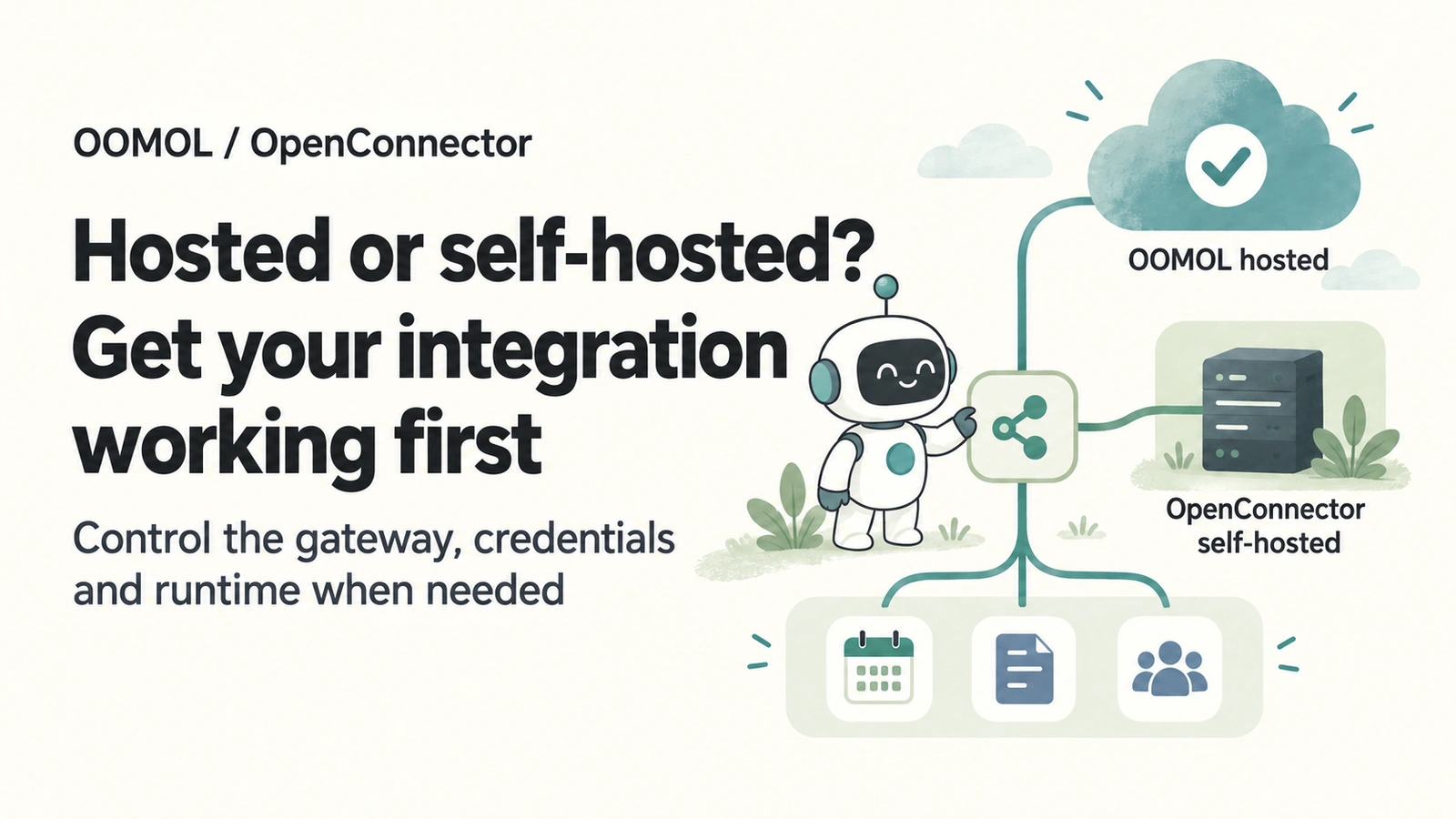
When you start connecting Google, Zoom or monday.com to an application or agent, you may wonder whether to run your own gateway. OpenConnector is open source, so why not deploy it yourself?
Running your own gateway gives you control over where credentials live, which operations are allowed and how calls are recorded. But once the service is running, there is still an easily underestimated job: setting up authorization for each application.
For most teams that want to launch quickly, we recommend starting with OOMOL hosting and integrating through the SDK. Choose self-hosted OpenConnector when your connector service and credentials must stay on your infrastructure, or when you need to change the gateway or connector implementation.
You can also work in stages: get the integration running with hosting while preparing your own OAuth apps, then migrate when you are ready.
Start with what you need today
| Your current need | Recommended starting point |
|---|---|
| Connect applications quickly; external hosting is acceptable | Start with OOMOL hosting |
| Share connections across a team and manage member access and allowed operations | Use OOMOL’s hosted team features |
| Use your own OAuth apps, but configuration or review is still in progress | Start hosted and evaluate migration once ready |
| Keep credentials, the connector gateway and execution records on your infrastructure | Self-host OpenConnector |
| Modify connector code, customize gateway behavior or control outbound networking | Self-host OpenConnector |
Company size can influence the decision. The more immediate questions are how much control your team needs and how much maintenance it is prepared to take on.
Self-hosting often starts with OAuth setup
Starting OpenConnector with Docker gives you a connector gateway. To access services that use OAuth, you also need to create your own OAuth app in each service’s developer console.
There are two separate sets of credentials. The OAuth app’s Client ID and Client Secret identify your application. An access token, issued after a user authorizes an account, lets you access the resources that user has approved.
You prepare the first set before connecting the account. The second is issued through authorization.
With Google, for example, you create a project, enable the APIs you need, create an OAuth client, set the callback URL and choose the requested permissions. App verification may also be required, depending on the scopes and how the app is used. Google’s OAuth documentation
Other OAuth services have their own configuration and distribution rules. One integration may be manageable; several mean maintaining separate client settings, callback URLs, scopes and review statuses.
Internal testing and broad customer access may also have different requirements. Some services let you start with your own account or test users. Others require administrator approval or additional review for certain uses. Follow the provider’s console and documentation.
OpenConnector stores OAuth configuration, connects accounts and executes operations. When you use your own OAuth apps, your team remains responsible for creating them and meeting provider requirements. See the OAuth app configuration guide.
Use hosting to focus on the integration
If your immediate goal is to ship a feature—checking calendars, organizing email or updating project records—you can start by getting the required connections working.
For integrations that support managed OAuth apps, OOMOL reduces the work of creating and maintaining a separate app for each provider. You still connect your own accounts and approve the required permissions. Services that use API keys or other authentication methods still need the corresponding configuration.
Once an account is connected, OOMOL hosting handles credential storage, token refresh and application calls. Your backend uses the SDK to select a connection, submit parameters and receive results. Raw provider tokens do not need to go into your business code or agent prompts. Hosted Connector guide
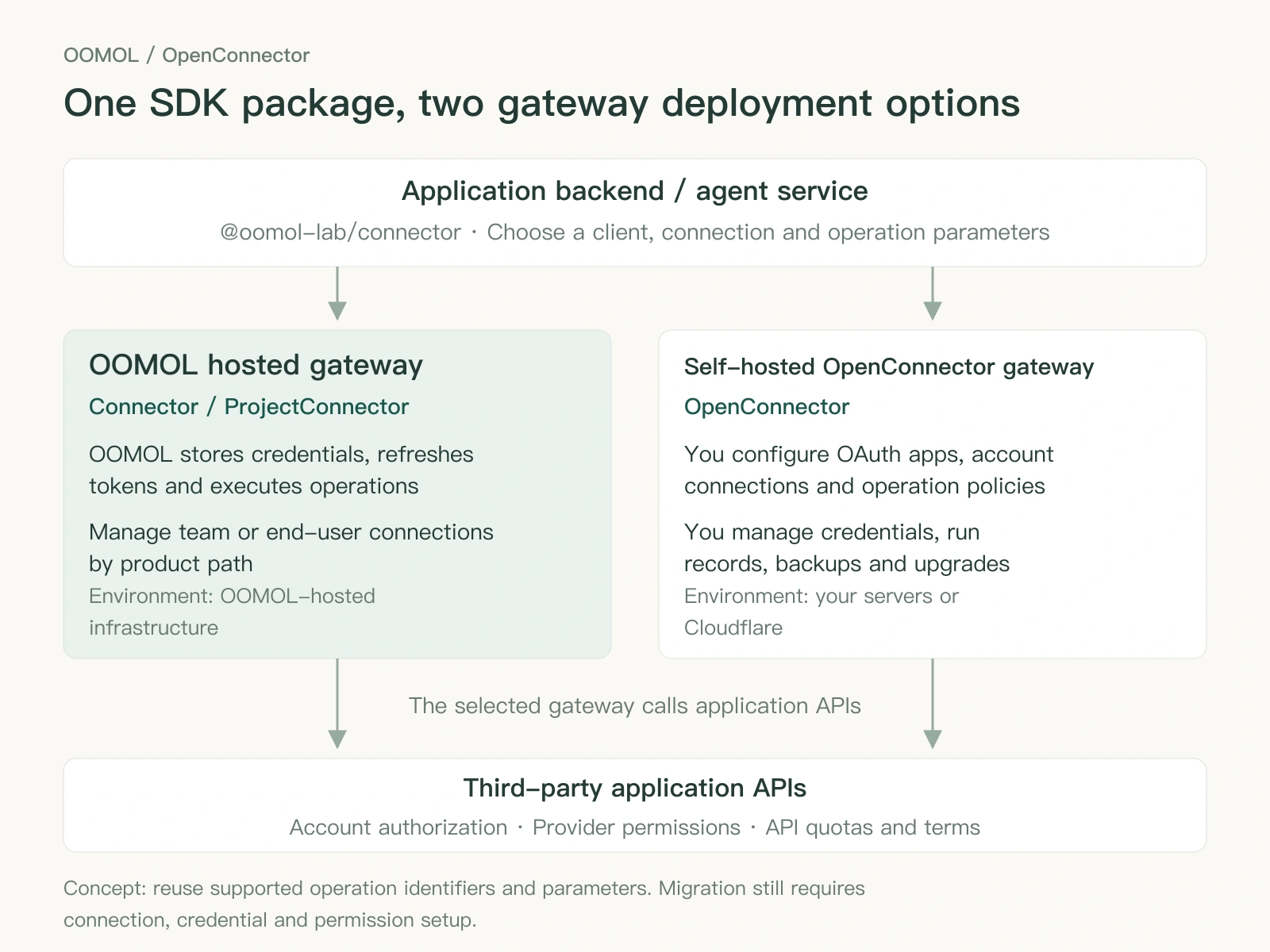
Diagram: the two deployment paths. Gateway location and management responsibilities differ; external application access still depends on provider authorization and network connectivity.
For shared use, hosting also provides team management. Administrators manage members, set the operations each connection allows and decide which members can use it.
For example, you can create two connections for the same email account. One allows reading mail and is assigned to members who need to consult it. The other allows sending mail and is assigned only to people responsible for external communication. Members use approved operations without receiving the mailbox’s raw access token. Team and connection permissions
These controls help you manage who can use what as you connect more applications. Access to particular data is still limited by the original account’s permissions and authorization scopes.
If each end user of your product needs to connect their own accounts, use Connector for SaaS and the ProjectConnector client on the hosted side to keep connections separate by user.
Choose OpenConnector when you need to own the runtime
Some teams have clear requirements from the outset: provider credentials must be protected by their own keys and storage, the gateway must run in the corporate network, and execution records must follow internal retention rules.
Those requirements determine the deployment path. With self-hosted OpenConnector, your team manages the gateway, credentials, operation policies and run records, as well as databases, backups, upgrades and network access.
Open source also gives you control over the code. The connector runtime, connector definitions, operation execution code and web console have public source, as do the companion Connector SDK and oo CLI. You can start from the existing project to inspect calls, add integrations or change the implementation. Third-party API authorization requirements and terms still apply separately.
Control brings maintenance responsibilities. Someone needs to own key management, access protection, updates, backups and incident handling. Security depends on how that work is carried out.
Choose a deployment option that fits your environment:
- Docker Compose: run on your servers or corporate network when you need to manage storage and access boundaries yourself.
- Cloudflare Workers: manage your OpenConnector deployment using Cloudflare infrastructure, including D1 and R2, if a cloud runtime is acceptable.
- Run from source: develop connectors, debug or modify OpenConnector.
Cloudflare is a cloud deployment option. If the service must run inside a corporate network, choose a server environment that meets that requirement.
An internal gateway still needs appropriate outbound access. Calling external SaaS services such as Google or Zoom requires access to their API and authorization endpoints. In an environment with no external network access, first establish whether the target service has a reachable internal interface.
See the OpenConnector self-hosting guide for deployment instructions.
Start hosted and migrate when ready
If you plan to use your own OAuth apps but are still preparing configuration or waiting for review, work on both tracks: validate the business integration with hosting while preparing credentials and infrastructure for self-hosting.
Both paths use the same @oomol-lab/connector SDK package. It provides Connector for hosted account connections, ProjectConnector for product end users and OpenConnector for a self-hosted runtime. The clients share operation types and calling conventions, but authentication, account boundaries and available methods differ. TypeScript SDK reference
You can reuse identifiers, input parameters and calling patterns for supported operations. Email-search logic, for example, can keep its operation name and query parameters while using the client that connects to your self-hosted runtime.
Prepare for migration by:
- Deploying and securing OpenConnector in the new environment and configuring your OAuth apps.
- Establishing account connections and confirming the required scopes.
- Adjusting the SDK client, service URL, runtime token and connection selection.
- Checking execution support for the operations you need, along with any team, project-user and permission features your application relies on.
- Validating a common operation before switching other calls gradually.
Account connections and hosted management features need separate attention. The shared SDK lets you retain existing operation calls and parameter structures, reducing the work of integrating with each API again.
Migration is optional. Keep using hosting while it meets your business and management needs. Take over the gateway when owning the runtime becomes a concrete requirement.
Start with one real operation
If you do not currently need to self-host, choose one feature you want to ship: read today’s calendar, search customer email or check project progress.
Connect an application in OOMOL Console, authorize it, and follow the SDK integration guide to call an operation from your backend. Verify that the integration works, then configure team members and connection permissions.
If self-hosting is already a requirement, start with the OpenConnector deployment guide and then configure your OAuth apps.
Choose a starting point that fits today’s needs. Hosting helps you get the integration working sooner; open-source OpenConnector lets you take control of its code, credentials and runtime when you need to.