 Leina
Leina  Wanta
Wanta Give Your AI Assistant a Useful Morning
Design a source-linked morning brief from email, calendar, and tasks, and see how OOMOL and OpenConnector provide the account connections and application actions.
OOMOL

AI-generated scene: turning daily information into one brief. Entries on the sheet are fictional examples.
Before starting work, you probably open three places: your calendar, inbox, and task list.
The calendar tells you who you will meet. Email tells you what has changed. Your task list reminds you of commitments still unfinished. Putting them together is what tells you where to start.
That is part of the appeal of a personal AI assistant: it can keep up with your day and turn scattered information into useful reminders.
The idea appears in recent overseas content. On September 22, TikTok creator @maverickgpt posted a video about five things to build with Claude in a weekend. One suggestion was a life dashboard connecting calendar, email, and tasks. The video invites comments in exchange for prompts. It shows how a creator presents the scenario; it does not establish that ordinary users have widely adopted it.
On October 6, The New York Times’ TikTok video described reporter Eli Tan testing a personal agent and having it get lunch for podcast host Natalie Kitroeff. This is a media account of trying a personal assistant.
Both frame agents through everyday tasks. For someone building their first assistant, a morning brief is a manageable place to begin.
A brief needs to answer three questions
“Summarize all my information” can produce a long list. What helps in the morning is a small amount of information you can act on:
- What is scheduled today, and are there conflicts?
- Which new messages affect those plans or work in progress?
- Which tasks need attention today, and which are waiting on someone else?
Suppose you have an afternoon client meeting. The client emailed updated materials last night, and your task list still includes “update the quote.” Looking at any one app can miss the relationship between all three.
A useful brief brings together the meeting time, a link to the latest materials, preparation still needed, and remaining uncertainties.
Keep sources attached. You should be able to open the original email or calendar event and check why the assistant prioritized it.
Connect the apps you already check every day
Start with calendar and email. If your tasks are already in one tool, add that next.
Check that each tool offers the read interfaces you need, that authorization covers those interfaces, and that the connected account is correct. Distinguish work email, personal email, and shared calendars rather than making the assistant guess.
For a brief, you can narrow retrieval to today’s calendar, recent relevant emails, and unfinished tasks. Ask the assistant to flag missing materials. “I did not find it” should not become “it does not exist.”
Expand the connections as the task grows. An assistant that reliably organizes each day’s commitments is already useful.
Make the next step clear
Here is a design example. The content is fictional and uses no real account connections.
Three things to pay attention to today
- Client meeting at 2 p.m. An email with updated requirements arrived last night; review the attachment before the meeting. Sources: calendar event, client email.
- “Confirm the supplier’s delivery date” is due today. The latest reply is still waiting for internal confirmation; follow up this morning. Sources: task, email thread.
- Two meetings overlap. You need to decide which to attend. Sources: the two calendar events.
No messages have been sent, meetings rescheduled, or tasks completed.
In a real brief, sources should be clickable links. The value is putting the information beside the next action.
The assistant should also distinguish an explicit due date in your task tool from a suggestion based on an email’s tone. One is a record; the other is advice. Making that distinction lets you decide whether to act.
OOMOL and OpenConnector provide the connection layer
This assistant needs an agent that understands the task and authorized connections to the apps.
OOMOL offers a hosted connection path. With the Connector SDK, applications can discover actions, inspect input and output definitions and required permissions, then execute supported actions using a selected account connection. Verify the current interfaces for your calendar, email, and task tools before building.
That leaves developers more room to work on which information belongs in the brief and how sources should appear. Prompts, cross-app organization, scheduled triggers, and delivery still need to be configured in the assistant or workflow.
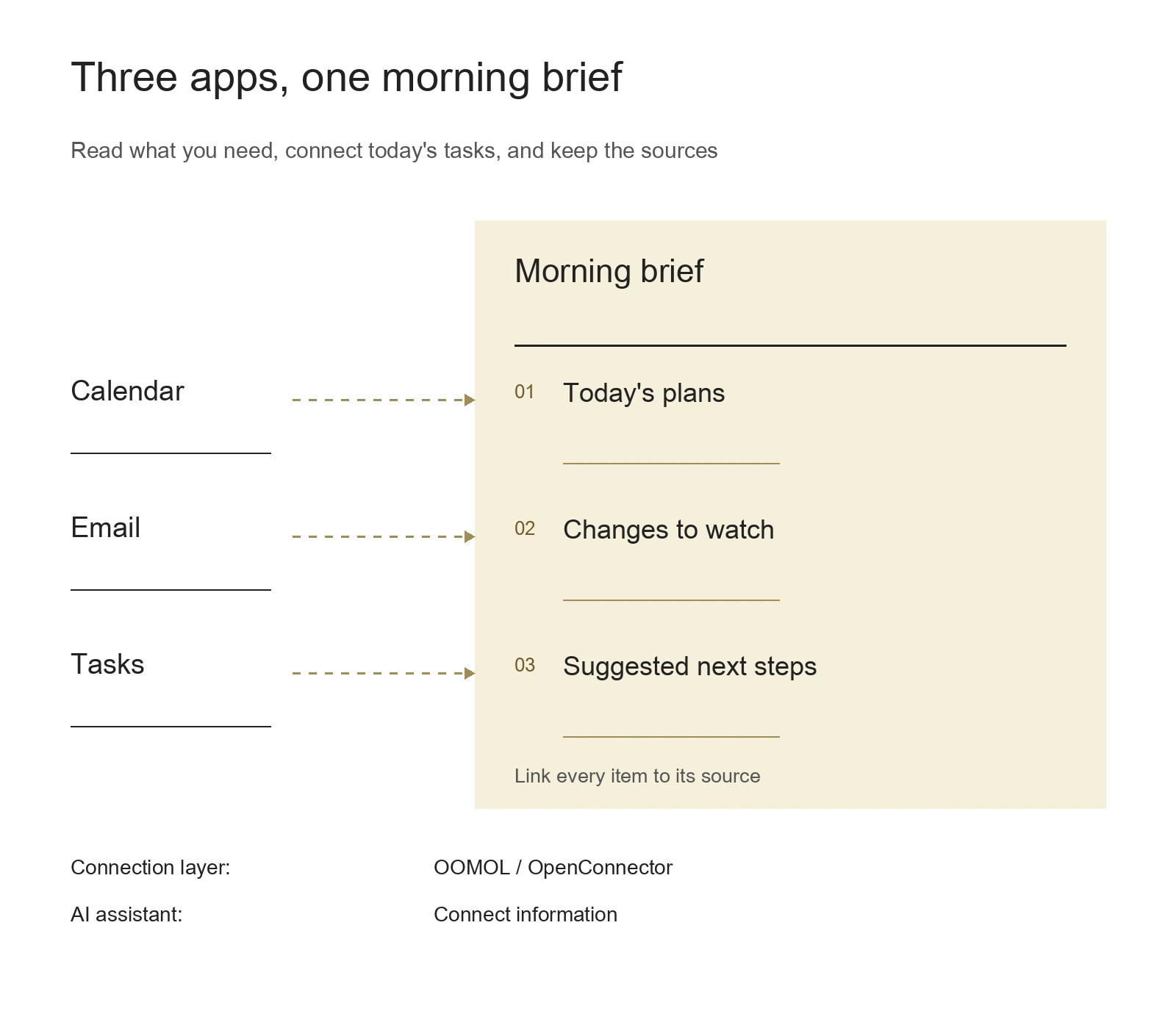
Conceptual outline of a source-linked brief. Different sources help organize the day; configure scheduling and delivery separately.
Teams that need to run the connector service themselves can use OOMOL’s open-source project OpenConnector. Its self-hosting guide explains credentials, calling interfaces, action policies, and run records.
Hosting suits people who want to begin connecting apps quickly. Self-hosting suits teams with a clear need to manage the runtime themselves. On either path, the brief is a scenario built around specific accounts and actions. Validate it before relying on it over time.
Run it once before scheduling it
Generate a brief manually before making it a daily job.
Check for missing meetings, old emails mistaken for new developments, broken source links, and personal information appearing in the wrong destination. Then make one source temporarily unavailable and check that the assistant says the brief is incomplete.
Once those behaviors meet your expectations, set the trigger time, time zone, and delivery destination in your agent or workflow system. Sources have their own update timing, so the brief should state its coverage.
Open OOMOL Connections, connect the apps needed for this task, and allow only the necessary read actions using the access-control guide. Give an assistant that can call those connections this request:
Create a morning brief from today’s calendar, recent relevant emails, and unfinished tasks. List no more than five items, each with its original source. Separate recorded facts from your suggestions. Only read information; give the result to me without sending messages or changing events. If a source fails, say so clearly.
A useful morning can start with that brief: open it, and know which materials to read and which task to tackle first.