 Leina
 Wanta
 Open Flow
How to Build a Custom MCP Server in Node.js or Python
Build a caption search tool in Node.js or Python, call it from an MCP client, and decide when a managed connector fits your workflow.
OOMOL
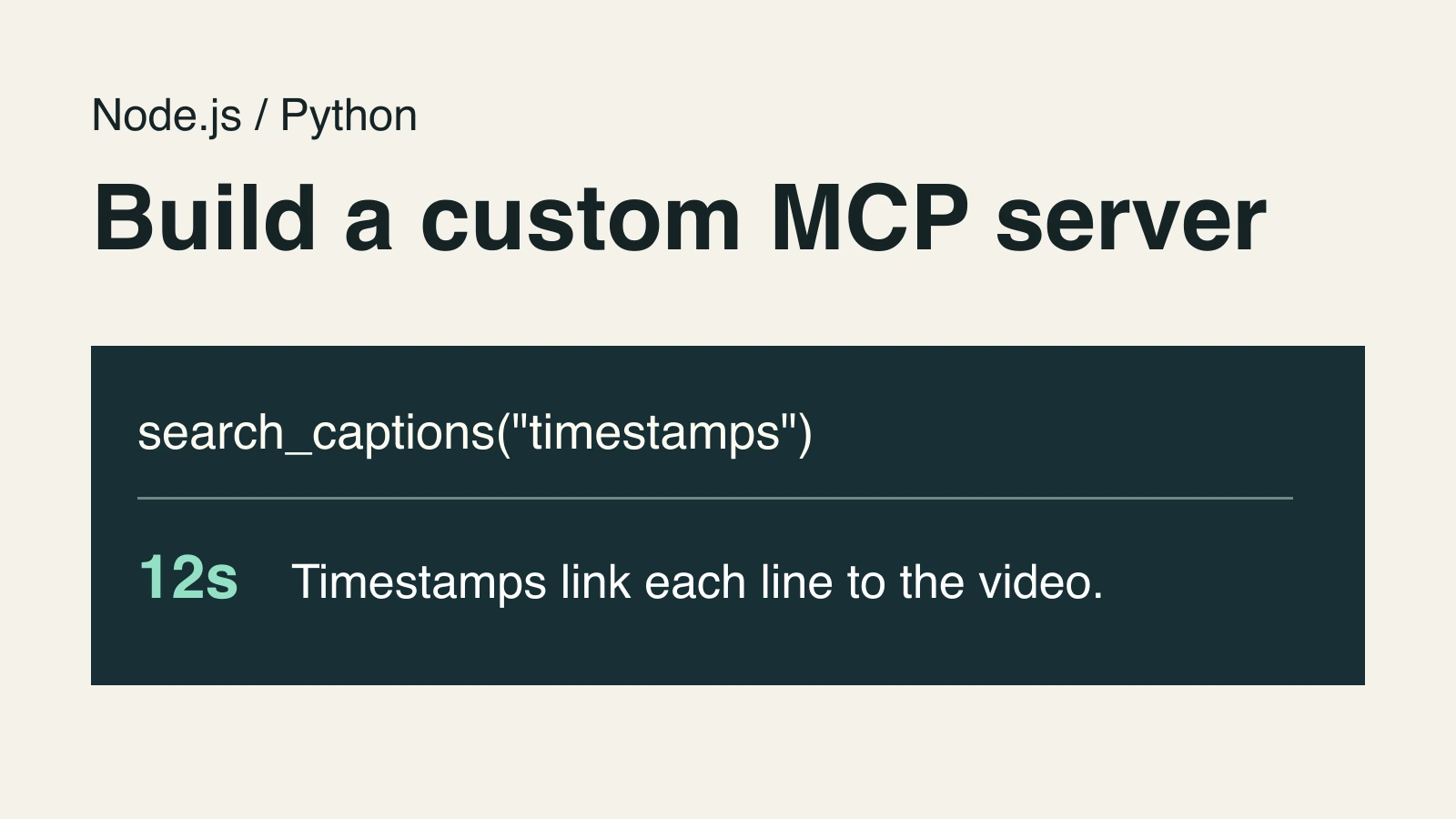
“Where in the video does the speaker explain timestamps?” If you’re editing the clip, “about halfway through” won’t help much. You want the line and a time you can jump to. We’ll give an MCP client a tool that returns both. In our sample, searching for timestamps lands you at 12 seconds.
You’ll need Node.js and npm for the test client. Choose Node.js or Python for the server. The Python path also uses uv to run Python 3.13. Both versions run locally with the same three captions and require no account.
Set up the sample transcript
Create an empty directory and save the following as captions.json. Each start value is the number of seconds from the beginning of the video. To try your own material later, copy a few lines and their start times from the YouTube Transcript tool.
[
  {"start": 0, "text": "Open the transcript."},
  {"start": 12, "text": "Timestamps link each line to the video."},
  {"start": 28, "text": "Export the captions as SRT."}
]
Choose either implementation below. Both expose a tool called search_captions with one required string argument, query. The client launches the server as a subprocess and exchanges MCP messages over standard input and output. Send any server diagnostics to standard error so the client can read the protocol messages. MCP server guide
Run these commands in the captions directory for either path. The client and Node.js server use the same JavaScript SDK. The examples pin the v1 interfaces used below.
npm init -y
npm install --save-exact @modelcontextprotocol/sdk@1.32.1 zod@4.6.7
Build the Node.js MCP server
Save this as server.mjs. The schema tells the client which argument to send. The handler reads from the captions loaded at startup, so a caller only supplies a search term.
import { readFileSync } from "node:fs";
import { McpServer } from "@modelcontextprotocol/sdk/server/mcp.js";
import { StdioServerTransport } from "@modelcontextprotocol/sdk/server/stdio.js";
import { z } from "zod";

const captions = JSON.parse(readFileSync(new URL("./captions.json", import.meta.url), "utf8"));
const server = new McpServer({ name: "caption-search", version: "1.0.0" });

server.registerTool("search_captions", {
  description: "Find caption lines containing a keyword and return their start times.",
  inputSchema: { query: z.string().trim().min(1) },
}, ({ query }) => {
  const matches = captions.filter(line => line.text.toLowerCase().includes(query.toLowerCase()));
  const text = matches.map(line => line.start + "s: " + line.text).join("\n");
  return { content: [{ type: "text", text: text || "No matching captions." }] };
});

await server.connect(new StdioServerTransport());
Build the Python MCP server
For the Python version, save this as server.py beside the same JSON file. FastMCP derives the tool schema from the function signature and uses its docstring as the description. The launch command below uses uv with Python 3.13 and the v1 Python SDK.
import json
from pathlib import Path
from typing import Annotated

from mcp.server.fastmcp import FastMCP
from pydantic import StringConstraints

server = FastMCP("caption-search")
captions = json.loads(Path(__file__).with_name("captions.json").read_text(encoding="utf-8"))

@server.tool()
def search_captions(query: Annotated[str, StringConstraints(strip_whitespace=True, min_length=1)]) -> str:
    """Find caption lines containing a keyword and return their start times."""
    matches = [line for line in captions if query.lower() in line["text"].lower()]
    return "\n".join(f"{line['start']}s: {line['text']}" for line in matches) or "No matching captions."

if __name__ == "__main__":
    server.run(transport="stdio")
Discover the tool and call it
Use one client to check either server. Save the following as client.mjs in the captions directory. It launches the command you pass, lists the available tools and prints the result of two calls.
import { Client } from "@modelcontextprotocol/sdk/client/index.js";
import { StdioClientTransport } from "@modelcontextprotocol/sdk/client/stdio.js";

const [command, ...args] = process.argv.slice(2);
const client = new Client({ name: "caption-reader", version: "1.0.0" });
await client.connect(new StdioClientTransport({ command, args }));
try {
  const { tools } = await client.listTools();
  console.log(tools.map(tool => tool.name).join(", "));
  for (const query of ["timestamps", "penguin"]) {
    const result = await client.callTool({ name: "search_captions", arguments: { query } });
    if (result.isError) throw new Error(JSON.stringify(result.content));
    console.log(result.content[0].text);
  }
} finally {
  await client.close();
}
Run the command for the implementation you chose.
node client.mjs node server.mjsnode client.mjs uv run --python 3.13 --with mcp==1.26.0 python server.pyBoth commands should print the same three lines. The client learns the name on the first line by asking the server which tools it offers. Only then does it ask about timestamps and penguins.
search_captions
12s: Timestamps link each line to the video.
No matching captions.
To try another search, replace penguin in the client with export and rerun the same command. You should get the line at 28 seconds. To inspect the exchange interactively, launch MCP Inspector with the server command, choose Tools, then call search_captions with your own query. MCP Inspector guide
| What you see | What to check |
|---|---|
| Running the server by itself leaves the terminal quiet | A stdio server is waiting for a client. Run the client command above. It starts its own server process. |
| The client fails during initialization after you add a debug message | Move server diagnostics to stderr. In Node.js, use console.error(). In Python, use the logging module. The client reads stdout as protocol messages. |
The tool is listed and returns No matching captions. | The round trip succeeded. Search for a word that appears in the sample. The tool matches literal substrings, so a synonym can return zero lines. |
Production authentication and deployment
Suppose two editing teams upload transcripts to the same service. A search for “export” should only return lines from the caller’s library. Moving the server to an HTTPS endpoint gives both teams a way to reach it. The handler also needs a way to identify the editor and check access to each transcript.
Take one request from an editor on Team A. It arrives over Streamable HTTP with a bearer token. Before the search handler runs, your service validates the token, including its audience, expiry and scopes. An OAuth client needs to know where to get that token in the first place. Your endpoint publishes protected resource metadata pointing it to the authorization server. MCP authorization specification
Now give that editor the ID of a transcript owned by Team B. Their token is still valid. Resolve the editor’s team from verified membership, then fetch by both team and transcript ID. Try this with two test teams before you invite the first editor.
If the captions live in another app, there’s a second credential involved. The service uses Team A’s stored app connection to read Team A’s file. Disconnect that account and repeat the search. The editor should get a prompt to reconnect. Returning “No matching captions” here would send them hunting for a better keyword when the service never read the file.
After deployment, repeat the local discovery and search calls against the HTTPS endpoint. Try an expired MCP token as well as a disconnected app. A request ID and the stage that failed are usually more useful for debugging either case than a log full of caption text.
When to use a managed connector
Suppose your editors now want the lines around each match, including the previous and next caption. That’s a good reason to keep this little server. You own the search behavior, and you can test the change against the same three lines.
A different request might sound almost identical. “Find the transcript we saved in our team’s app.” Before implementing OAuth for that app, check whether an OOMOL connector already exposes the read operation you need. Add your team’s MCP configuration to the client, list its tools, and try the read against a transcript you recognize. For an agent working in a terminal, the same investigation can start with oo. Configure OOMOL MCP, Install the CLI
Once that read works, an editor can capture a recurring assignment in a Skill. “Find each mention of the release date, quote the exact line, and include the timestamp so I can check the cut.” The team can change that assignment without changing how the connector reads a transcript. Browse Skills
| Reader question | How it applies to the caption search |
|---|---|
| MCP or an API? | A video editor’s backend can call its caption API directly. An agent can discover the same operation through an MCP tool and inspect the arguments it accepts. |
| MCP or RAG? | MCP carries the search request and matching lines. If a model uses those retrieved lines as evidence to answer the editor’s question, retrieval is part of a RAG workflow. The timestamp search on its own already gives the editor a usable result. |
For a worked comparison of calling the same operation from application code and through an agent, see MCP vs API.