

 Leina
Leina  Wanta
Wanta One Key Plan: One Key, Many Services on Demand
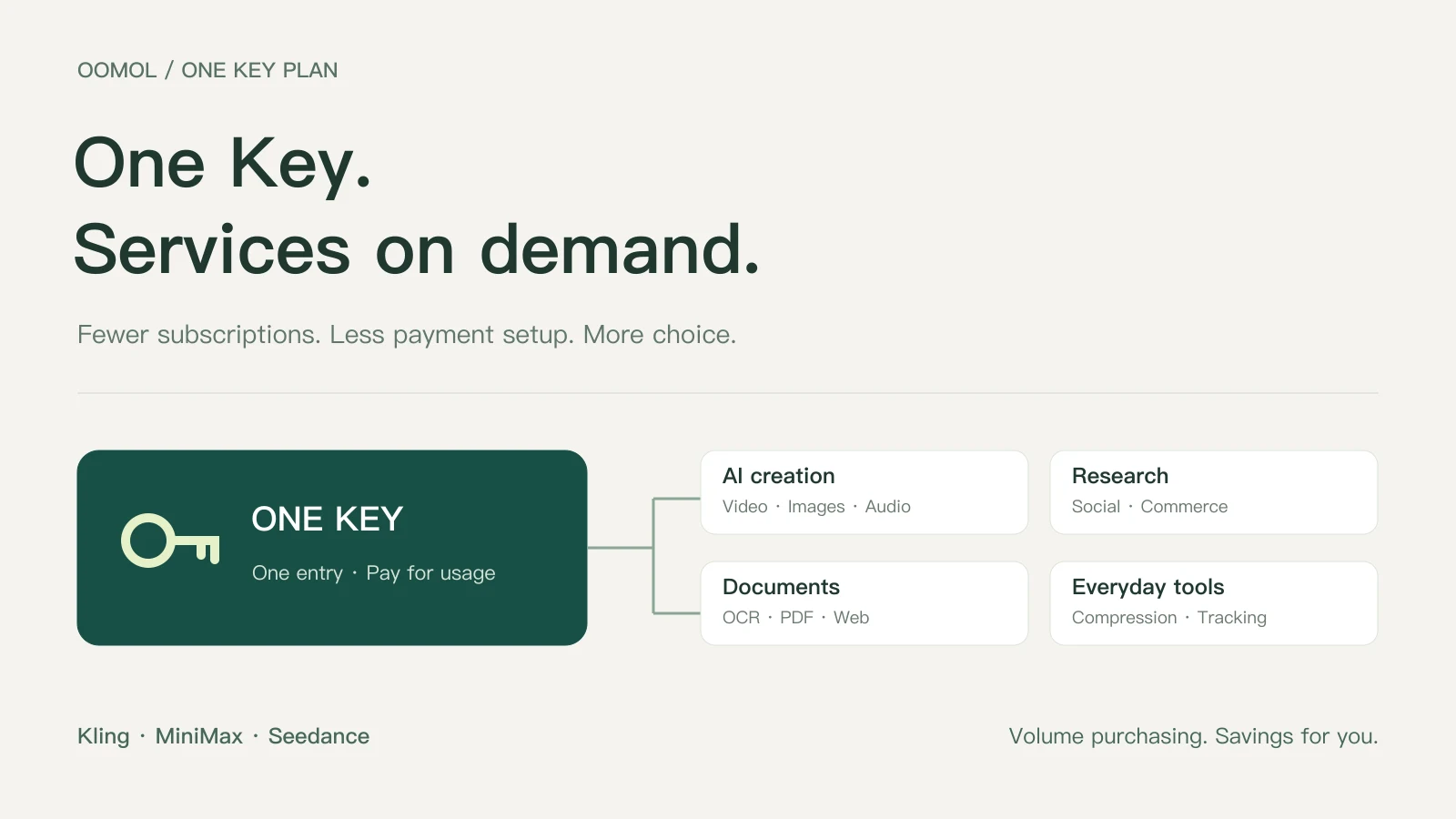
Use video, image, audio and data services through one OOMOL Key. Reduce separate subscriptions and payment setup, benefit from volume pricing, and tell AI what you need.
OOMOL
A ten-second video can mean buying a month-long subscription. A few product research queries can mean paying for another tool. An occasional transcription can require yet another account, card and top-up.
You may only use each tool a handful of times, but the subscriptions and balances remain. The cost of trying a service often includes much more than the task itself.
We call our plan for OOMOL’s built-in services One Key Plan: use multiple integrated services through one OOMOL Key. Generate images, create videos, produce voiceovers and look up data through the same entry point.
Use a service a few times if that is all you need
Our first goal is to let people pay for actual usage wherever possible.
You might need two videos for an event, a few data queries for a report, or a transcript of one interview. These tasks have an end point. They do not necessarily justify a separate subscription to every tool involved.
We want more capabilities to be available as individual calls: use them when needed and pay for the amount consumed. Try a real task before deciding whether to invest further.
Billing units differ. Images may be charged per image, queries per request, and video or speech by duration, characters or tokens. The aim is usage-based payment that reduces the need for a full subscription just to do a small amount of work. See the OOMOL pricing page for each service’s billing rules.
Fewer accounts, cards and balances to manage
The second goal is to reduce the setup required to use several services.
Connecting directly to different platforms often means creating accounts, adding payment methods, generating API keys and tracking separate balances. Every new service adds another set of details to maintain.
For services included in One Key Plan, OOMOL provides a shared calling and billing entry point. You do not need a separate upstream subscription, supplier API key or card registration for each built-in capability.
For a product video, AI can use suitable services to create an image, generate the video and produce a voiceover. You do not have to manage several paid accounts for those calls.
This applies to OOMOL’s built-in services. Connecting your own Gmail, Notion or other private accounts still requires the appropriate authorization.
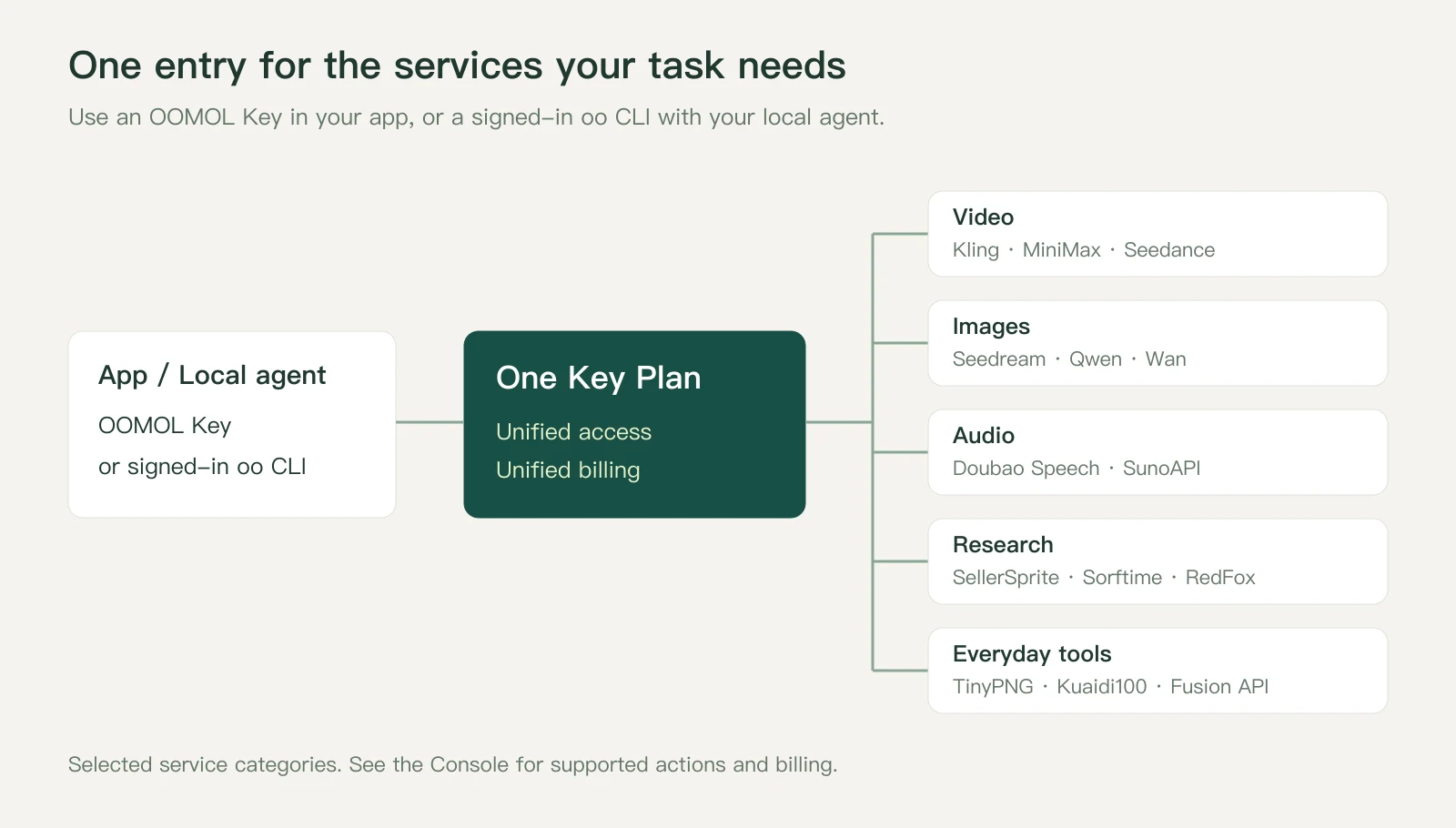
Figure 1. A shared entry point and example service categories. This is not the complete catalog.
Pass volume-purchasing savings on to users
Our third goal is to make volume-purchasing benefits available to individual users.
Someone generating a few images or videos occasionally is unlikely to negotiate volume terms alone. By combining demand, we aim to lower purchasing costs and reflect those savings in the price of each call.
Current offers include Kling at 30% below official pricing, and MiniMax and Seedance at 10% below official pricing. The current Console offer and the quote for the specific call apply.
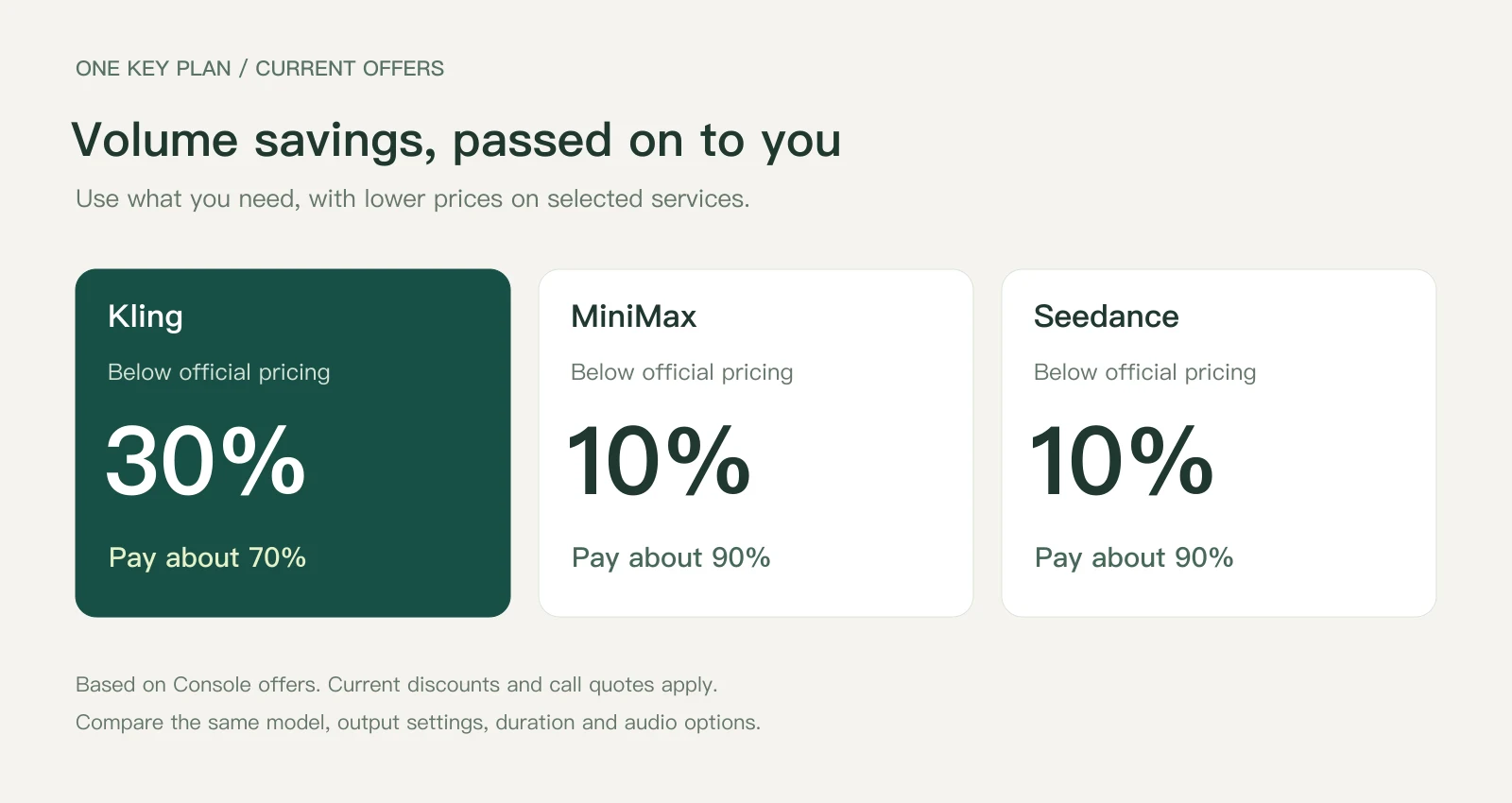
Figure 2. Offers shown in the OOMOL Console. Compare the same model version, output settings, duration and audio options.
The benefit should be practical: fewer underused subscriptions to maintain, and a more favorable price for the work you actually need.
Which connectors are built in?
The following services are listed by the current CLI. A connector may expose several operations; this table summarizes their main uses.
| Built-in service | Main uses |
|---|---|
| KlingSave 30% | Generate videos from prompts and reference media for product demonstrations, ad clips and creative experiments |
| MiniMaxSave 10% | Create video tasks with the integrated models using text, images and other supported reference content |
| SeedanceSave 10% | Generate video clips and visual concepts from text and reference media |
| SunoAPI | Generate music, lyrics and sounds, or extend and otherwise process existing audio |
| Doubao Seedream | Generate images from descriptions or create new visuals using reference images |
| Doubao Speech | Produce voiceovers and turn interviews or recordings into text |
| Qwen | Edit images, translate image text, recognize scanned content, transcribe audio and analyze documents |
| Wan | Generate and edit images, and create AI video assets |
| TinyPNG | Reduce image file sizes for websites, commerce and content publishing |
| TikHub | Access supported public social data for content research and analysis |
| RedFox | Find public content on supported platforms such as Douyin, Xiaohongshu, WeChat Official Accounts and WeChat Channels |
| SellerSprite MCP | Research Amazon products, keywords, competitors and markets |
| Sorftime MCP | Research products and keywords on supported platforms including Amazon, Shopee, TikTok, Temu and Walmart; capabilities vary by platform |
| LinkFox | Search Amazon products, find products by image, read reviews and retrieve supported TikTok product/video relationships |
| Kuaidi100 | Track shipments by tracking number and identify likely carriers |
| OOMOL Fusion API | Access integrated tools such as GPT Image, Nano Banana, OCR, PDF conversion and background removal |
Savings labels compare with official pricing and are subject to the current Console offer and call quote.
These are available integration entry points, not complete memberships to every supplier’s website. Check OOMOL built-in tools for supported models, operations and inputs.
Fusion API also includes tools suited to occasional use:
- GPT Image 2 and Nano Banana: generate and edit images.
- Aura SR and background removal: upscale images and isolate subjects.
- OOMOL Copy Proofreader: read text in packaging, posters and other images, and check for typos.
- PDF to Markdown / EPUB: convert PDFs into formats suited to further processing or reading.
- Jina Reader: read web pages and search web content.
- CosyVoice and Qwen custom voices: synthesize speech and create custom voices.
- Sora 2: generate videos.
Some capabilities also have their own connector entry point. Check the pricing page for the supported scope and billing items.
Tell AI what you want to accomplish
You do not need to browse a catalog and select a connector first. Describe the task to AI:
Turn this product image into a ten-second showcase video.
Transcribe this interview and summarize the key points.
Research similar products on Amazon for me.
AI can discover tools, inspect their required inputs and call the appropriate built-in services. If it needs source material or other information, it will ask.
For local agents, a signed-in oo CLI provides the calling entry point. AI can handle tool discovery, parameter checks and execution; you do not need to memorize service names or commands.
Finish one task before deciding how much you need
One Key Plan suits work you want to try without a long-term commitment: testing a few video ideas, researching products, compressing images or converting a PDF.
Tell AI the task. If you need one image today, ask for one image. If you need a video next week, describe that new task.
One Key, multiple services, payment for actual usage and the benefits of volume purchasing: that is the experience we want One Key Plan to offer.
Sign up for OOMOL, tell AI what you want to accomplish, and start using One Key Plan.