One Flow for you and your agent
Agents use oo flow to create and check a Draft. Open the same Flow in Workbench to inspect its graph and continue editing.
 Leina An AI employee for team chat.
  Wanta The AI desktop assistant for teams.
  Flow Visual workflows built by agents and people.
 Create, check, and run a Flow through oo flow, then inspect and edit the same graph in Workbench. Use OOMOL's official hosted version or deploy Open Flow on your own infrastructure.
Read the Guide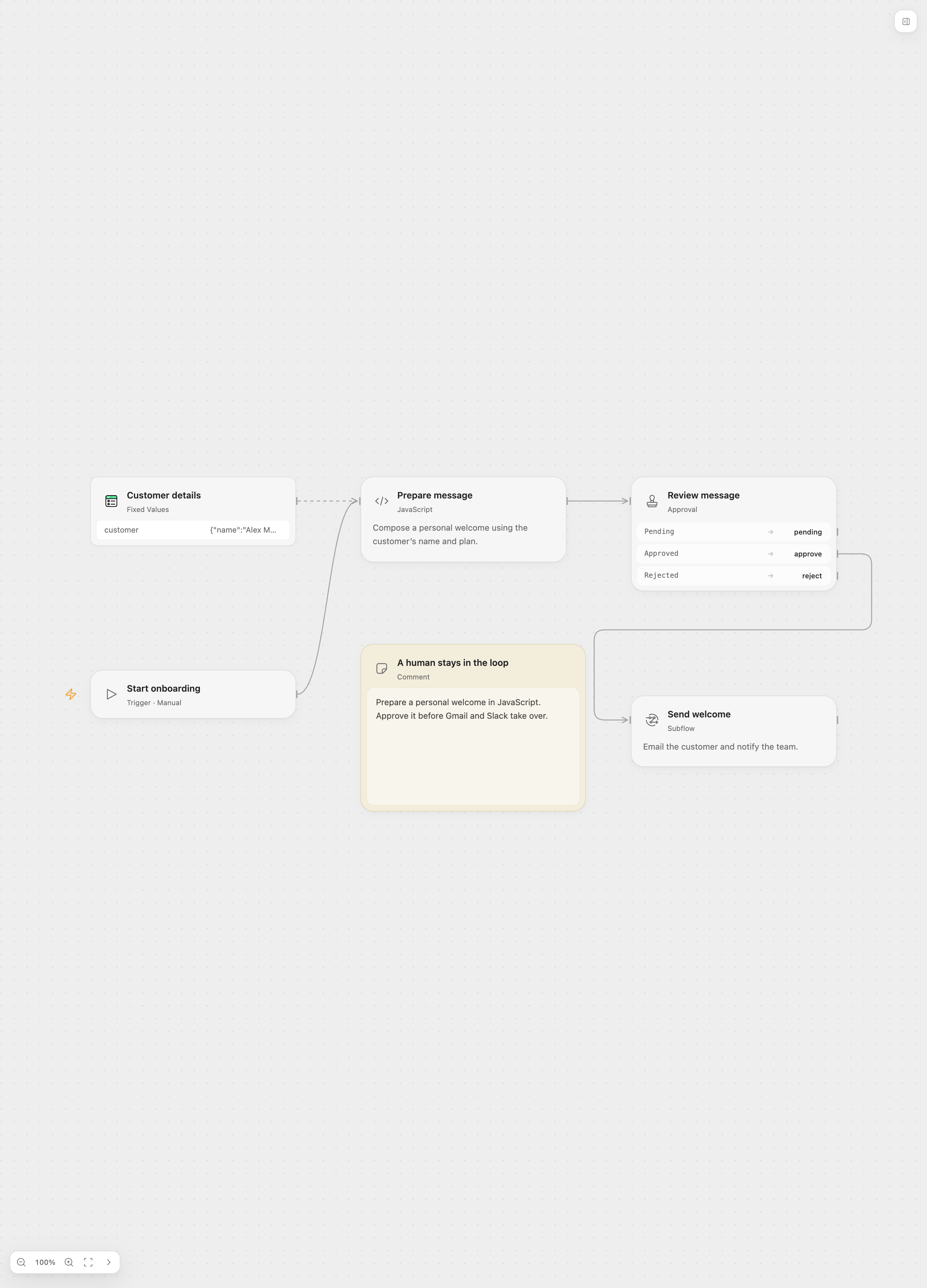
Agents use oo flow to create and check a Draft. Open the same Flow in Workbench to inspect its graph and continue editing.
Connect typed inputs and outputs on the canvas. Use Code Tasks when a step needs custom logic.
Check the Draft, inspect node outputs and run history, then publish when ready. Start manually or with Cron, Webhooks, polling, and Provider events.
The hosted and self-hosted paths use the same Flow product and Workbench. Choose who operates the deployment and its connected services.
Open Workflows in OOMOL Console. OOMOL operates the deployment and provides managed OAuth apps for supported integrations.
Use OOMOL FlowRun the open-source server with Docker or deploy the image to Fly.io. You manage storage, backups, upgrades, tokens, and Connector configuration.
Self-Host Open FlowOpen Flow is in beta and has not reached its first stable release. Check the repository's current deployment requirements before installing.
| Responsibility | OOMOL Hosted | Self-Hosted Open Flow |
|---|---|---|
| Deployment and upgrades | Operated by OOMOL | Managed by your team |
| Persistent run data | Stored in the hosted deployment | Stored in the storage you configure |
| App connections and OAuth | Managed OAuth apps for supported integrations | Choose a Connector and configure the required accounts and OAuth apps |
| Authoring and inspection | oo flow and Workbench | oo flow and Workbench against your deployment |
Nodes and edges define dependencies; the deployment owns runs, publications, and triggers.
Skills give an agent task instructions. Flow provides a persisted graph and execution lifecycle for automation.
Third-party Actions and Provider Triggers use a Connector runtime. Provider credentials stay with the Connector; Flow stores connection identities.
Build a workflow that reads unread Gmail messages, formats them, and sends them to Slack.
Connect the required accounts, let the agent create a Draft, inspect the result, and publish only when you are ready.