

 Leina
Leina  Wanta
Wanta OpenConnector, Composio, Nango and Pipedream: How Much Is Open Source?
Compare source code, self-hosting and licenses across four agent integration tools, then see how to add a provider and move from OOMOL SaaS to your own runtime.
OOMOL
Connecting an AI agent to Gmail, Notion or Slack makes the first successful run feel significant. An assistant that could only answer questions can now find messages, update documents and do useful work.
Then the questions become more specific. Can you add an operation the business needs? Where do you look when a request fails? If a customer requires credentials to stay in your infrastructure, can you move the connector service there?
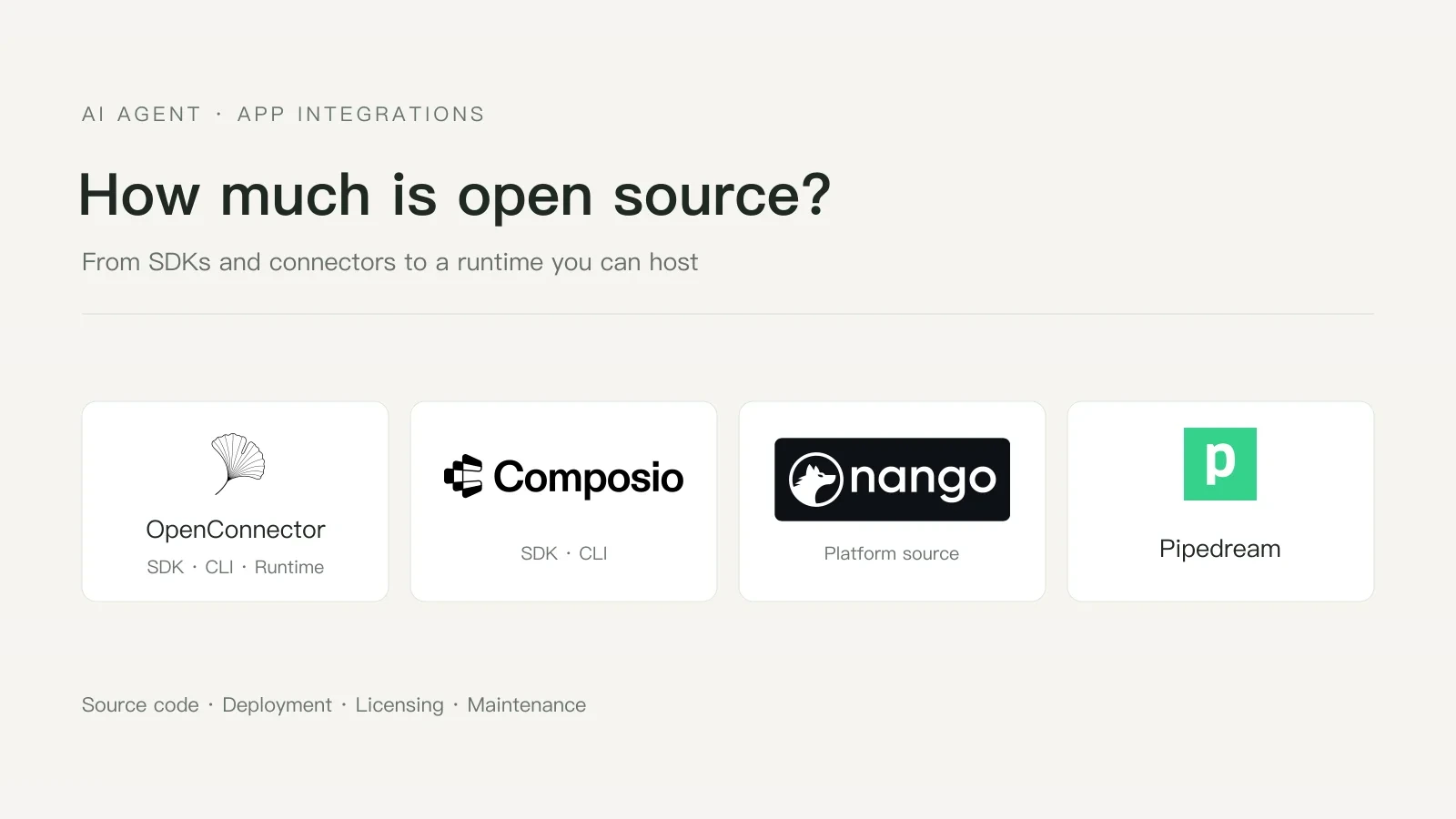
At that point, the code a platform publishes and the parts you can operate start to matter. OpenConnector, Composio, Nango and Pipedream all support application integrations, but their public code, deployment options and licenses cover different ground.
Which part of the system is open?
An SDK, a connector and a runtime do different jobs.
- The SDK prepares requests and receives responses. Its source lets you inspect the client-side calling behavior.
- Connector execution code turns an operation into a third-party API request, including parameter mapping and response handling. Public source makes that implementation inspectable and extensible.
- The connector runtime runs those operations and typically handles credentials, authorization, action policies and execution logs. Public runtime code and deployment instructions give a team a way to operate those parts itself.
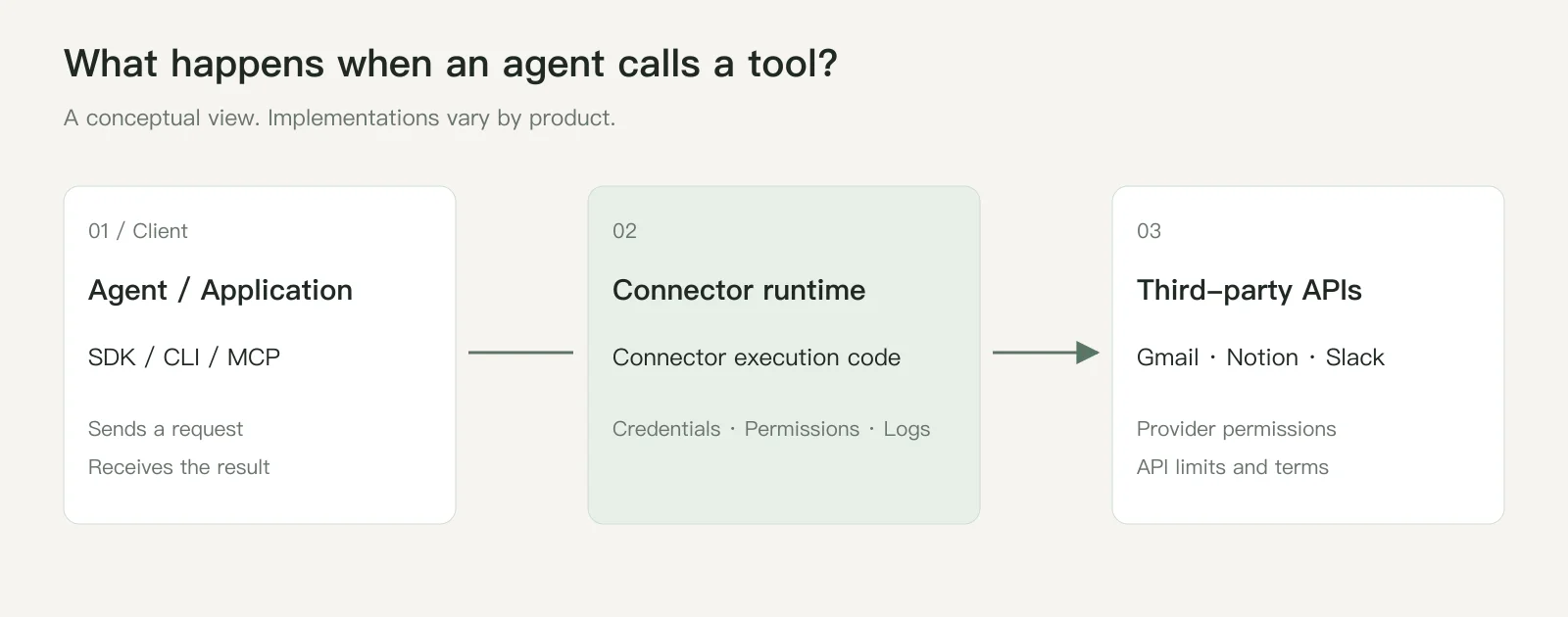
Figure 1. A conceptual view of a tool call. Connector execution code lives inside the runtime; implementations vary by product.
These layers answer different questions. A public SDK does not establish that the gateway source is public. Editable connector code does not, on its own, make the entire platform independently deployable.
The four products at a glance
| Product | Main public code | Self-hosting | Scope to check |
|---|---|---|---|
| OpenConnector | Connector SDK, oo CLI, gateway, provider definitions, action executors and Web Console | Public Docker and Node.js deployment paths, plus Cloudflare support | Core repository: Apache-2.0; SDK and CLI: MIT. Check executors and authorization for each operation |
| Composio | The public main repository contains SDKs, CLI and framework adapters | Official enterprise self-hosted and private deployment options | The SDK repository’s MIT license does not establish licensing for the gateway implementation |
| Nango | Integration platform source and integration function code | Free and Enterprise self-hosting | Main repository: Elastic License 2.0. Free self-hosting has a limited feature set |
| Pipedream | Component code, documentation and related packages | Components normally execute on Pipedream’s hosted infrastructure | Main repository: Source Available license. Public components do not establish a public self-deployment path for the whole platform |
Sources: OpenConnector, Composio’s repository, Composio deployment options, Nango self-hosting and Pipedream components.
What if your business needs a new provider?
Suppose your team adopts a customer management system and wants an agent to look up customers and update follow-up records. The existing catalog does not support that service yet.
The useful extension point is a provider on the gateway: a service integration that exposes the operations the agent needs. The SDK and CLI keep their existing calling pattern; users generally do not need to modify their source.
With OpenConnector, there are three ways forward:
- Build it yourself. Add a provider to your own gateway, define authentication, inputs and execution logic, and use it on your schedule.
- Submit a pull request. Contribute the implementation so other users can access the service too.
- Open an issue. Describe the service and operations you need, and ask our team to add support.
For requests to add providers or operations, we typically merge the related functionality within 24–36 hours. That is our usual working cadence; API complexity, test accounts and third-party authorization requirements can affect the timing.
A gap in the catalog therefore has a practical path forward. Your team can implement the integration or work with the maintainers to add it, while retaining the existing client tools. See the provider contribution guide or open an issue.
OpenConnector’s public code covers the calling tools and the connector service: Connector SDK, oo CLI, gateway, action definitions and executors, and Web Console. Its README lists the SDK for application code, oo connector for searching, inspecting and running actions, MCP for compatible agent hosts, and HTTP/OpenAPI for other clients. Both SDK and CLI can connect to OOMOL hosting or a self-hosted runtime. Developer tools
The code lives in the OpenConnector, Connector SDK and oo CLI repositories. Teams can inspect the path from client to execution and manage connection identities, action policies and redacted logs in their own environment.
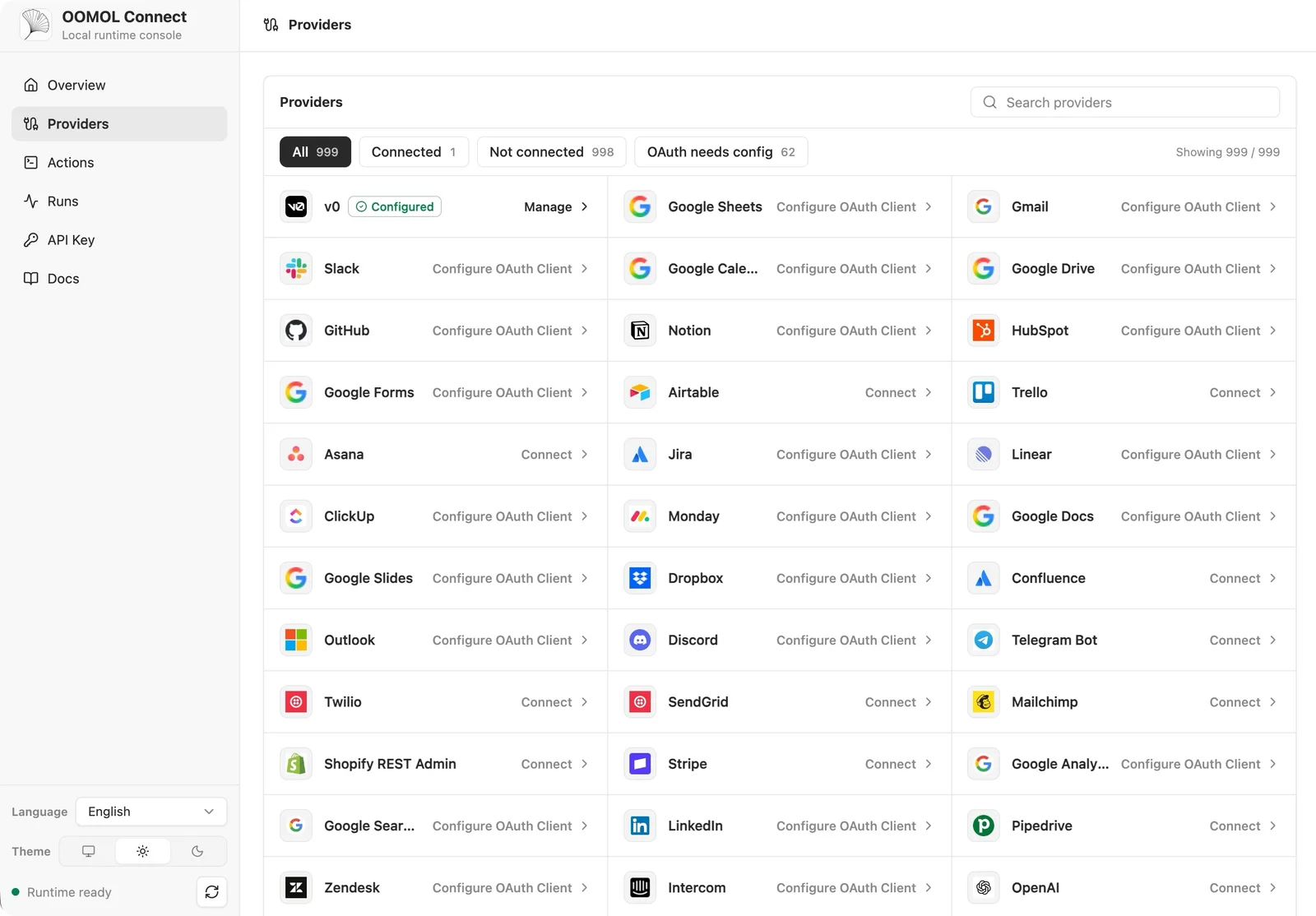
Figure 2. A screenshot from the official OpenConnector repository. Labels and counts reflect the version captured, not a promise of current coverage.

After adding a provider, applications and agents continue using the same entry points. Before adopting an action, check that its executor is available, its inputs cover the task, and you can meet the provider’s authorization requirements.
Composio’s main public repository identifies itself as an SDK monorepo with Python and TypeScript SDKs, a CLI and adapters. Those sources help teams working with its hosted tools inspect client behavior. They do not establish that the gateway’s internals are available for inspection or modification. Composio repository
Source access and deployment are separate questions. Composio does offer enterprise self-hosted and private deployment configurations, so describing it as cloud-only would be inaccurate. Check which deployment paths start from public source, which require an enterprise arrangement, and what you can change once deployed. Composio MCP Gateway
Nango publishes platform source and supports self-hosting. Its free self-hosted edition mainly covers auth and the API proxy; functions, syncs, webhooks and MCP belong to the fuller Cloud or Enterprise self-hosted offering. Match your required features to the deployment edition. Nango’s self-hosting overview
Pipedream illustrates the component-source model. Developers can inspect components, write their own and contribute through pull requests. These components normally run on Pipedream’s serverless infrastructure. The ability to edit an operation and the ability to run its entire underlying platform are distinct capabilities. Pipedream components
Public code still has license terms
The repositories use different licenses. Seeing source on GitHub does not mean those licenses grant identical permissions.
| Code being evaluated | Published license |
|---|---|
| OpenConnector core repository | Apache-2.0 |
| Connector SDK | MIT |
| oo CLI | MIT |
| Composio’s public SDK repository | MIT |
| Nango’s main repository | Elastic License 2.0 |
| Pipedream’s main repository | Pipedream Source Available License |
Check the relevant terms before maintaining a fork, redistributing code or offering a service built on it. OpenConnector’s license covers its own project code; third-party API terms, authorization requirements and brand rights still apply.
Running the service also means maintaining it
With your own deployment, you can inspect runtime health, recent failures and execution records, then decide whether configuration or code needs attention.
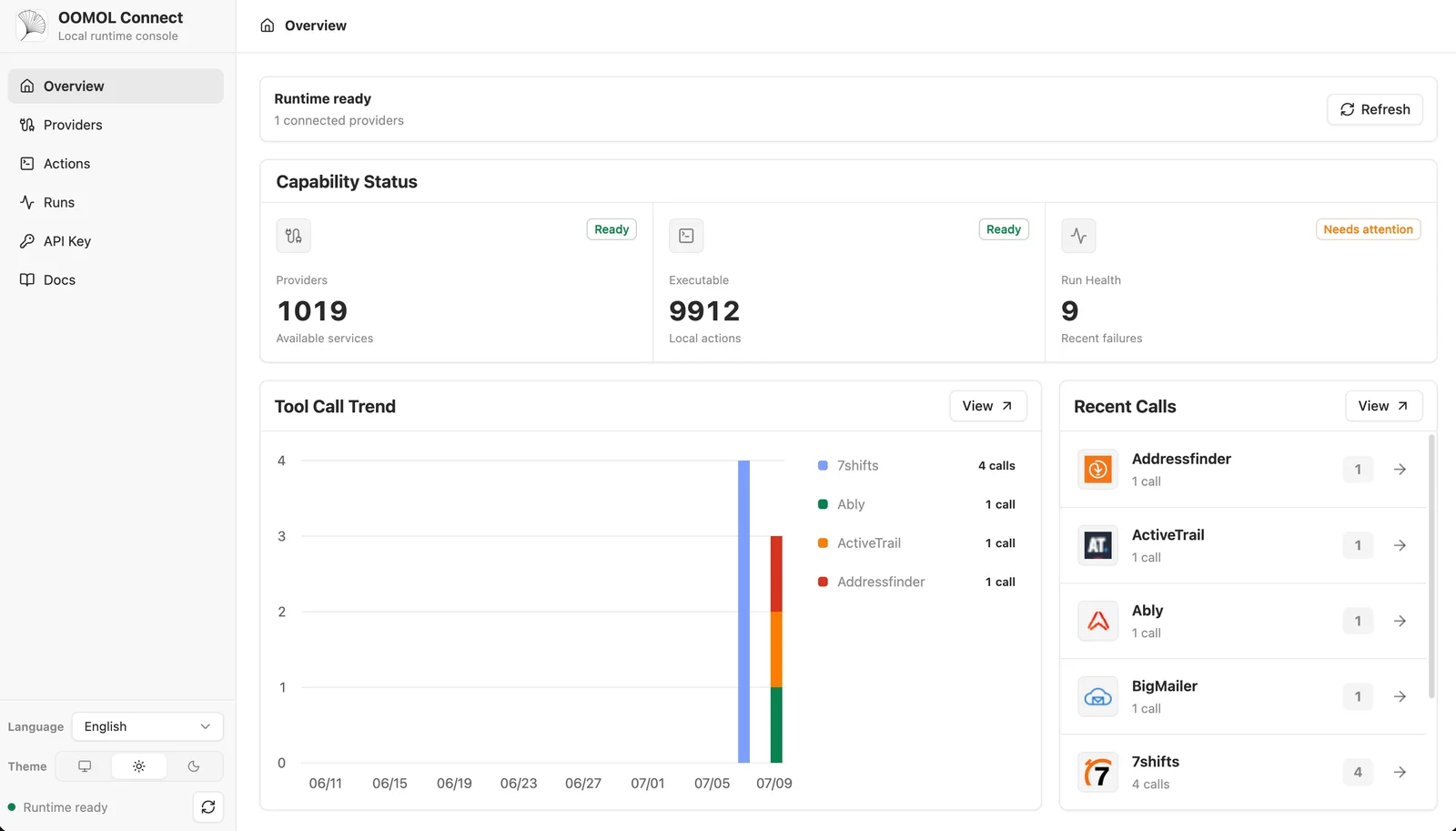
Figure 3. Runtime overview from the official repository. Displayed statistics illustrate the interface, not current scale or reliability.

Self-hosting brings work: upgrades, backups, key management, infrastructure and, for some services, registering OAuth applications. A team gains control and takes responsibility for that maintenance.
Start with SaaS, move to self-hosting as you grow
OOMOL’s SaaS service and open-source OpenConnector share the same connector calling model: provider IDs, action IDs and parameter contracts. An application or agent uses the same action vocabulary whether the runtime is hosted by OOMOL or deployed on your servers. Deployment paths
You can start on SaaS while OOMOL operates the connector service. As the business grows or customers require private infrastructure, deploy OpenConnector and point the SDK and CLI at it. Existing supported action calls and their inputs can be reused instead of implementing those integrations again.
| Entry point | Change for self-hosting | What stays reusable |
|---|---|---|
| Connector SDK | Initialize the OpenConnector client with your baseUrl and runtime token | Supported action IDs, inputs and calling methods such as execute |
| oo CLI | Set OO_CONNECTOR_URL and, where needed, OO_CONNECTOR_TOKEN | Connector commands such as search, schema and run, along with action inputs |
See the SDK self-hosting guide and CLI guide.
The new environment still needs third-party account connections, OAuth applications and credentials. If you use SaaS team management, project users or other hosted capabilities, check their support separately. The shared design preserves the connector calling layer; it does not automatically transfer every hosted feature or account.
To evaluate the path, run a common business operation on SaaS, then connect the same SDK or CLI to a self-hosted instance and try the same action and inputs. If a service is missing, check the provider contribution or issue workflow too.
For teams that want a quick start and a public route to operating their own connector service, OpenConnector supports both steps. Connect an application through OOMOL or deploy an instance and test an operation you use every day.
Brand marks and screenshots come from the projects’ official sites or repositories and are used for identification and comparison. Rights remain with their owners. The conceptual diagram was created for this article.