

 Leina
Leina  Wanta
Wanta Why Do We Still Need Workflows in the Age of AI Agents?
Agents can run on a schedule too. Explore when workflows help with fixed business rules, human approval and version history, and how Open Flow works alongside agents.
OOMOL
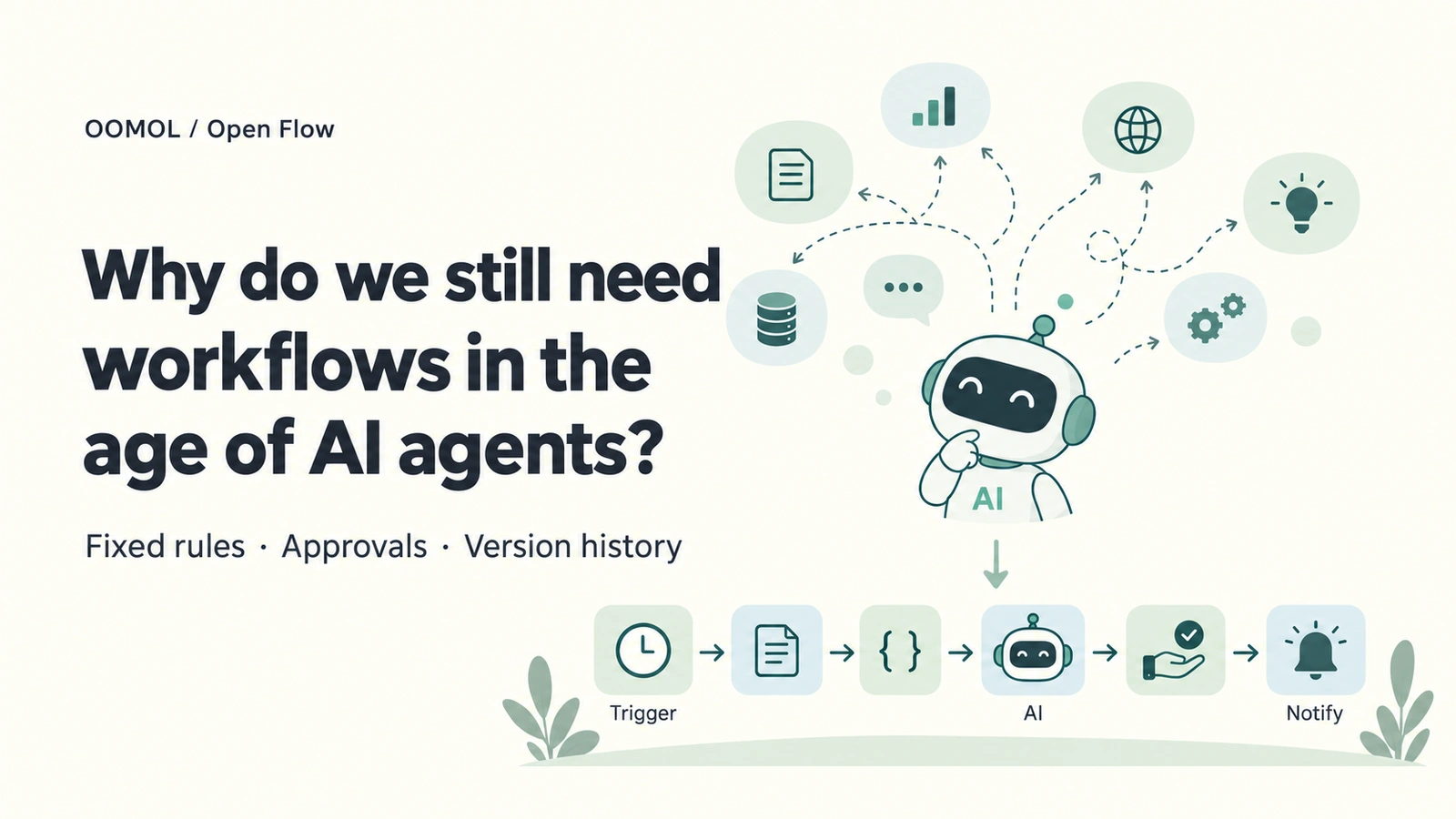
To have an agent analyze orders and send a report at nine every morning, a scheduled job can start it. Events or webhooks can also initiate work when data changes.
If the report meets your needs and the process is simple, that may be enough.
After a while, the requirements may become more specific: the refund rate must use an agreed calculation, only certain data should be analyzed, and messages to customers must be approved before sending. After a calculation changes, you also need to know which reports used the old version.
Now the questions are different. Which decisions should the agent make during a run, and which steps should follow established rules? Where does the task’s state live while it waits for approval? Can someone else understand the process well enough to maintain it?
A workflow offers a way to organize these requirements. It explicitly stores steps, data relationships and approval conditions, while its runtime manages execution state. An agent can help build it and handle the parts that require interpretation and judgment.
Apply Agreed Rules Consistently
Consider a daily order report. Adding amounts, grouping statuses and filtering a date range all follow defined rules. Does the refund rate use all orders or only paid orders as its denominator? Are refunds counted by order date or refund date? Once agreed, those definitions should be implemented in code.
An agent can call that code too. A workflow also records how it relates to other steps: where data comes from, which node receives the result, and under what conditions the report is sent. Those relationships can be checked individually.
AI can interpret customer comments, suggest possible explanations for unusual orders and decide what to emphasize in a summary. For example, code can first identify unusual orders, pass those records to a model, and send its summary to a notification step.
The predictable parts here are the calculation rules and execution structure. A model’s judgments can still vary, but its inputs, job and output destination have explicit places in the process.
Keep Progress While Waiting for Approval
Take a customer reply instead. The agent has read the email, checked the order and drafted a response. It is now waiting for the person responsible to approve it.
That person might respond hours later. The system needs to retain the inputs, drafted reply, completed steps and what should happen after approval or rejection. Resuming should use the state of that same run, avoiding repetition of steps already completed.
An agent system can implement these mechanisms. When choosing a workflow platform, examine the state management it already provides and whether it supports the waits, human decisions and continuation your task needs.
A trigger starts work; a notification or subsequent API call delivers the result. Schedules, events, webhooks and polling can all initiate agents or workflows. The diagram below shows how rules, AI, approval and notifications fit together after a run starts.
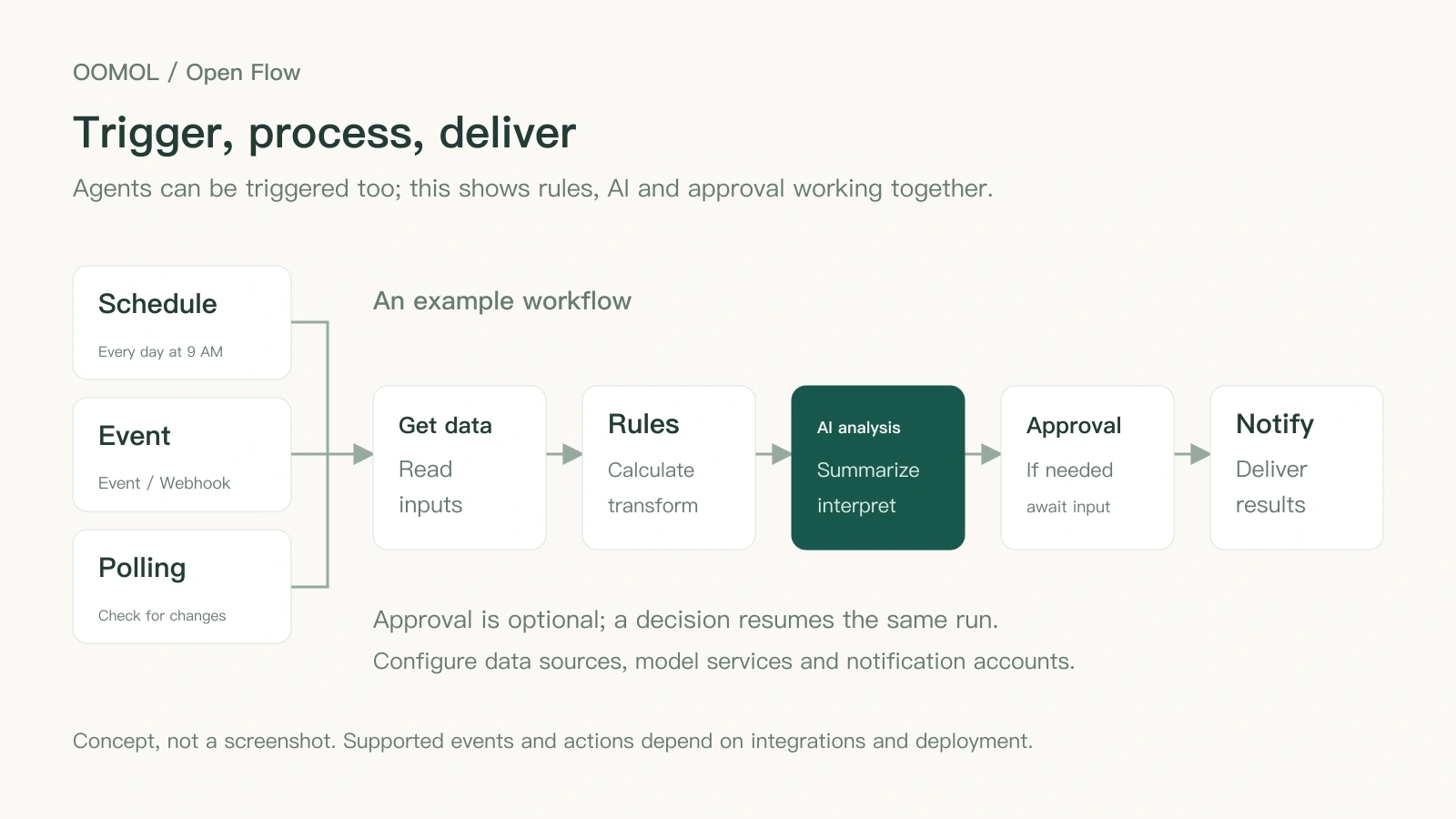
An example you can build yourself. Choose a trigger for your task; approval is optional. Execution requires configured data sources, model services and notification accounts.
Open Flow’s Approval and Wait nodes persist waiting state. After a decision, the same run can continue without repeating completed steps. For work involving human intervention, this is a specific capability to evaluate. Read about approval and execution.
Can Someone Else Maintain the Task?
You might begin by asking an agent to try the task a few times, gradually agreeing on data sources, calculations and report format. When other people need to maintain it, those decisions need to be recorded.
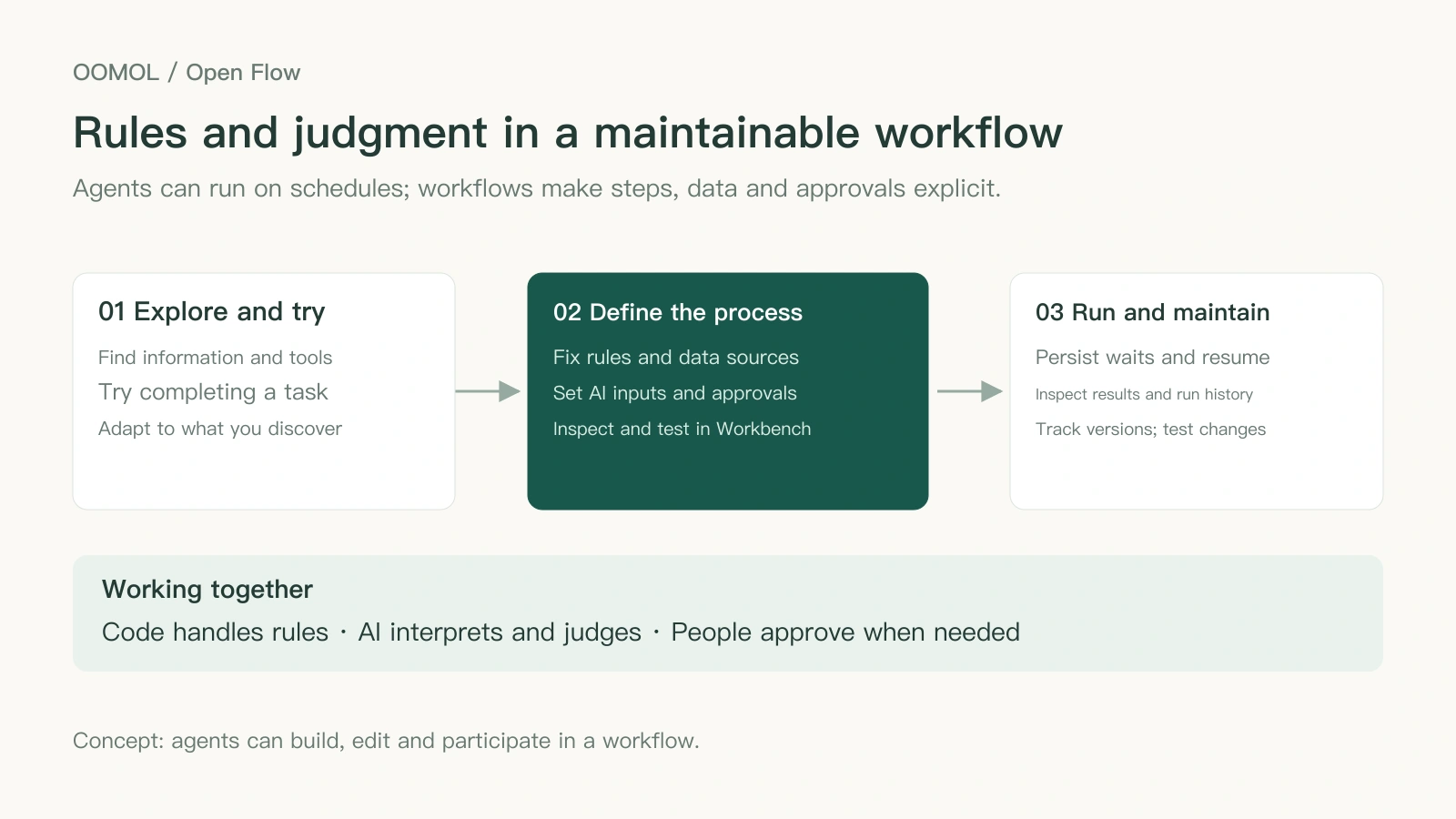
A maintainer needs to know which step reads orders, where the refund rate is calculated, what data the model receives and when messages are sent. A workflow graph, input mappings and node code help answer these questions. Someone still needs to maintain the project’s documentation and configuration.
After a change, you also need to know which logic each run used. If the refund calculation changed on Monday, checking last week’s report means finding the code and inputs used then. Linking run records to specific versions makes that possible.
If your existing agent system provides these capabilities, you can keep using it. A workflow platform brings these common mechanisms together, reducing what your team needs to build and maintain itself.
Store and Run These Processes with Open Flow
Open Flow is OOMOL’s open-source workflow platform. Use the hosted version in OOMOL Flow, or visit the GitHub repository for source code and self-hosting instructions. An agent can create a Flow, and you can inspect and edit that same process in the visual Workbench.
Through oo flow, an agent creates nodes, checks drafts, tests runs and inspects results. In Workbench, you can review its data sources, the code in each step and whether branch conditions match your requirements. Compatible clients can also author and run Flows through the Server’s MCP tools.
For the daily report, a Code Task can calculate and transform data in JavaScript, while an LLM Task produces a summary. Use an Agent Task when several tool calls are needed. Inputs and outputs have explicit names and types, and repeated logic can be organized into subflows.
You will also need to change a process after it goes live. Publishing in Open Flow creates a versioned snapshot for Live automation. You can keep editing and testing the draft, then publish a new version when ready. Run history links execution to its revision, helping identify the code and process behind a particular report.
Reading external app data and sending notifications require the appropriate accounts and permissions. Open Flow executes those actions through a Connector runtime such as OpenConnector. The Connector holds account credentials; the Flow refers to connection identities. Explore Open Flow’s capabilities and deployment options.
OOMOL operates the hosted deployment. With self-hosting, your team manages storage, backups, upgrades and service connections. The project is Apache-2.0 licensed and currently in beta. See the Flow getting-started guide for account connections and agent setup.
Try It with a Real Task
Choose a recurring task that needs fixed rules or human approval. Open OOMOL Flow, connect the required data source and notification account, then ask your agent:
Create an order-report Flow for me: read the previous day’s orders, calculate amounts and the refund rate using definitions I confirm, ask AI to summarize unusual orders, and send the report to the team channel I specify. Create and test a draft first; publish only after I review the results.
Check the data, code and outputs in Workbench. If a scheduled agent is enough, keep using it. When you need explicit rules, approvals and version history, decide whether to put this Flow into service.
- Open OOMOL Flow and Create Your First Workflow
- Want to self-host or contribute? Explore Open Flow’s Source Code and Deployment Guides.